Lesson 1: Groups, Layers & Masks
In the Intro course you put a few sprites in a Group; real games juggle hundreds, each drawn at the right depth and tested against the right targets. In this lesson you learn to sort sprites into overlapping groups, control draw order with layers, make hits pixel-exact with masks, and scroll a world bigger than the screen.
🎯 Learning Objectives
By the end of this lesson, you will be able to:
- Build a scene where one sprite belongs to several groups, and explain why
kill()removes it from all of them at once. - Control draw order with
LayeredUpdates, named layer numbers andchange_layer(), including a top-down "walk behind the tree" sort. - Write collision callbacks that test overlap first, and choose between rect, ratio, circle and mask tests.
- Cache a sprite's mask once and use it for pixel-exact hits and a white hit-flash silhouette.
- Build a small camera group that draws a large world shifted by an offset.
Project: Wave Defender, a small shooter with layered drawing, one-line group collisions and pixel-exact hits.
In This Lesson
🗂️ One Sprite, Many Groups
Think of a music app. One song can sit in "Workout", "Road Trip" and "Favorites" at the same time. The playlists don't own the song; they just point at it. Delete the song and it disappears from every playlist at once.
pygame's sprite Groups work the same way. A Group is a set of sprites you can update, draw or collision-test with one call, and a sprite can belong to as many Groups as you like. The usual pattern is one "everything" group for drawing plus one group per role:
all_sprites: everything that gets drawn.enemies,bullets,pickups: the targets for each kind of collision test.
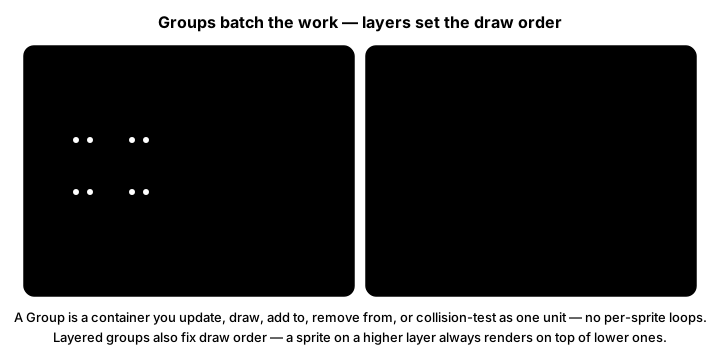
update(), draw(), add() and remove() act on every member. Layers add a draw order on top of that: a sprite on a higher layer is drawn later, so it appears in front.Here are the calls you will use most. None of them is new magic; they are the Intro course's Group basics, plus the ones that matter once sprites live in several groups.
| Call | What it does |
|---|---|
Sprite(*groups) / sprite.add(*groups) | Join one or more groups |
group.update(dt) | Calls update(dt) on every member; any arguments are passed along |
group.draw(surface) | Blits every member's image at its rect |
sprite.kill() | Removes the sprite from every group it belongs to |
group.remove(sprite) | Removes it from this one group only |
sprite.alive() / sprite.groups() | Is it in any group? Which ones? |
len(group), sprite in group, group.sprites() | Count, membership test, and a list copy that is safe to loop over while you kill sprites |
group.empty() | Removes every sprite from this group |
pygame.sprite.GroupSingle() | Holds at most one sprite, available as group.sprite (handy for "the player") |
This program rains blue and red boxes. Every box joins all_sprites; red ones also join hazards. Press K to kill every hazard and watch both counters drop together.
import random
import pygame

WIDTH, HEIGHT = 640, 400


class Box(pygame.sprite.Sprite):
    def __init__(self, x, color, *groups):
        super().__init__(*groups)                  # call this FIRST: it sets up image and rect
        self.image = pygame.Surface((24, 24))
        self.image.fill(color)
        self.pos = pygame.Vector2(x, -24)
        self.rect = self.image.get_frect(center=self.pos)
        self.speed = random.uniform(60, 140)       # px per second

    def update(self, dt):                          # group.update(dt) passes dt here
        self.pos.y += self.speed * dt
        self.rect.center = self.pos
        if self.rect.top > HEIGHT:
            self.kill()                            # leaves every group it is in


pygame.init()
screen = pygame.display.set_mode((WIDTH, HEIGHT))
pygame.display.set_caption("Groups: press K to kill every hazard")
clock = pygame.time.Clock()
font = pygame.font.Font(None, 28)

all_sprites = pygame.sprite.Group()                # everything that is drawn
hazards = pygame.sprite.Group()                    # only the red ones
spawn_timer = 0.0

running = True
while running:
    dt = clock.tick(60) / 1000
    for event in pygame.event.get():
        if event.type == pygame.QUIT:
            running = False
        elif event.type == pygame.KEYDOWN and event.key == pygame.K_k:
            for hazard in hazards.sprites():       # a copy, so killing while looping is safe
                hazard.kill()

    spawn_timer -= dt
    if spawn_timer <= 0:
        spawn_timer += 0.25
        x = random.uniform(20, WIDTH - 20)
        if random.random() < 0.4:
            Box(x, (240, 90, 90), all_sprites, hazards)      # one sprite, two groups
        else:
            Box(x, (90, 200, 240), all_sprites)

    all_sprites.update(dt)
    screen.fill((20, 22, 34))
    all_sprites.draw(screen)
    text = f"all_sprites: {len(all_sprites)}   hazards: {len(hazards)}"
    screen.blit(font.render(text, True, (230, 230, 230)), (10, 10))
    pygame.display.flip()

pygame.quit()
⚠️ pygame-ce detail: call super().__init__() before setting image
In pygame-ce, Sprite.__init__ sets image and rect to None. If you assign self.image first and call super().__init__() afterward, your image is wiped and draw() fails. The safe order is: layer number (next section), then super().__init__(*groups), then image and rect.
You may meet RenderPlain, RenderClear and OrderedUpdates in older tutorials. They are legacy names kept for old code: the first two behave like Group, and OrderedUpdates draws in the order sprites were added. For new code, use Group, and LayeredUpdates when draw order matters.
💡 Why this matters
Groups replace the hand-written loops and "remove it from this list, and that list, and that one" bookkeeping that causes ghost enemies: sprites that are invisible but still hurt you, or visible but no longer hittable. One kill() keeps every list honest.
📚 Layers and Draw Order
A plain Group doesn't promise an order. LayeredUpdates does: every sprite has a layer number, lower layers are drawn first, and higher layers land on top, like sheets of acetate in an old cartoon studio.
A layered group reads the layer when the sprite joins. Set self._layer before super().__init__(*groups), or pass it when adding: scene.add(sprite, layer=3). After that, change it only through the group with scene.change_layer(sprite, new_layer). (pygame-ce also offers a sprite.layer property. Setting it works only before the sprite joins a group; afterward it raises an error that tells you to use change_layer.)
LAYER_BACKGROUND, LAYER_ENEMY, LAYER_PLAYER, LAYER_BULLET = 0, 1, 2, 3   # name your layers

scene = pygame.sprite.LayeredUpdates()
scene.add(player, layer=LAYER_PLAYER)        # or set player._layer before it joins
scene.change_layer(player, LAYER_BULLET)     # move it later
scene.layers()                               # [0, 1, 2, 3]: the layers in use
scene.get_sprites_from_layer(LAYER_ENEMY)    # a list of that layer's sprites
scene.get_top_layer()                        # the highest layer number in use
scene.move_to_front(player)                  # put it on the top layer
Try it: the demo keeps every sprite in all_sprites plus a role group. Switch the draw order to "creation" and watch the player disappear behind trees that were created after it. Then kill the enemies and watch both counters change.
Walking behind things: sort by the feet
In a top-down game the rule is "whoever stands lower on the screen is in front". Use each object's feet, rect.bottom, as its layer: trees get their feet as a fixed layer, and the player's layer is updated whenever its feet move. The ground sits on layer 0 and the text on a huge layer, so they stay behind and in front of everything.
import pygame

WIDTH, HEIGHT = 640, 400
LAYER_GROUND = 0          # always at the back
LAYER_UI = 10_000         # always in front
# World objects use their feet (rect.bottom) as the layer: lower on screen = in front.


class Thing(pygame.sprite.Sprite):
    def __init__(self, pos, size, color, layer, *groups):
        self._layer = layer                      # BEFORE super().__init__ joins the groups
        super().__init__(*groups)
        self.image = pygame.Surface(size, pygame.SRCALPHA)
        pygame.draw.ellipse(self.image, color, self.image.get_rect())
        self.rect = self.image.get_frect(midbottom=pos)


pygame.init()
screen = pygame.display.set_mode((WIDTH, HEIGHT))
pygame.display.set_caption("Layers: walk behind and in front of the trees (arrow keys)")
clock = pygame.time.Clock()
font = pygame.font.Font(None, 26)

scene = pygame.sprite.LayeredUpdates()
ground = pygame.sprite.Sprite()                  # a plain Sprite works too
ground.image = pygame.Surface((WIDTH, HEIGHT))
ground.image.fill((34, 70, 44))
ground.rect = ground.image.get_frect()
scene.add(ground, layer=LAYER_GROUND)            # add() can take the layer directly
for x, y in [(150, 200), (330, 260), (480, 180), (560, 330)]:
    Thing((x, y), (70, 110), (30, 140, 60), y, scene)                    # trees: layer = feet
player = Thing((320, 330), (28, 44), (90, 200, 250), 330, scene)
player.pos = pygame.Vector2(player.rect.midbottom)

label = pygame.sprite.Sprite()
label.image = font.render("Layers: ground 0, world = feet y, UI 10000", True, (240, 240, 240))
label.rect = label.image.get_frect(topleft=(10, 10))
scene.add(label, layer=LAYER_UI)

running = True
while running:
    dt = clock.tick(60) / 1000
    for event in pygame.event.get():
        if event.type == pygame.QUIT:
            running = False

    keys = pygame.key.get_pressed()
    move = pygame.Vector2(keys[pygame.K_RIGHT] - keys[pygame.K_LEFT],
                          keys[pygame.K_DOWN] - keys[pygame.K_UP])
    if move.length_squared() > 0:
        player.pos += move.normalize() * 160 * dt
        player.rect.midbottom = player.pos
        feet = int(player.rect.bottom)
        if scene.get_layer_of_sprite(player) != feet:
            scene.change_layer(player, feet)     # re-sorts the player among the trees

    scene.draw(screen)                           # back to front by layer, every frame
    pygame.display.flip()

pygame.quit()
Walk the blue player up past a tree, then down past it. change_layer() is only called when the feet actually moved to a new pixel row, because each call re-sorts the group.
💥 Collision Callbacks
You already know the three group collision helpers from the Intro course. All three take an optional last argument, collided: a function that decides whether two sprites touch. Leave it out and you get plain rect overlap.
hits = pygame.sprite.spritecollide(player, enemies, False)                # list of enemies touching player
first = pygame.sprite.spritecollideany(player, enemies)                   # first hit or None; stops early
pairs = pygame.sprite.groupcollide(bullets, enemies, True, False)         # {bullet: [enemies it hit]}

# Built-in tests you can pass as the last argument:
pygame.sprite.spritecollide(player, enemies, False, pygame.sprite.collide_rect_ratio(0.7))  # rects shrunk to 70%
pygame.sprite.spritecollide(player, enemies, False, pygame.sprite.collide_circle)   # uses sprite.radius if set
pygame.sprite.spritecollide(player, enemies, False, pygame.sprite.collide_mask)     # pixel-exact (next section)
groupcollide(a, b, kill_a, kill_b) is the workhorse: one call tests every pair, returns a dict, and with True it calls kill() on the colliding sprites, removing them from all their groups. Choose each flag on purpose: True, False means "bullets vanish, enemies survive so they can lose health".
Your own callback: test overlap first
A callback must answer one question: are these two sprites touching? It is called for every pair, so it must actually test overlap. Here is a real bug from an older version of this course, where the callback forgot to:
# BUG: this never checks whether the sprites overlap.
def can_hurt(player, enemy):
    return not player.invulnerable       # True for EVERY enemy on the map

# FIXED: overlap first (cheap), then the extra rule.
def can_hurt(player, enemy):
    return player.rect.colliderect(enemy.rect) and not player.invulnerable

for enemy in pygame.sprite.spritecollide(player, enemies, False, can_hurt):
    player.health -= enemy.damage        # side effects go HERE, after the test
Keep damage, sounds and score out of the callback. pygame may call it for pairs in any order, and a test function that also changes the game is very hard to debug. Test in the callback, react in the loop.
✅ Growth Mindset: "Everything Hits Everything" Is a Normal Bug
If your player loses all its health in one frame, or one bullet clears the screen, you have not broken pygame; your collision test is answering the wrong question. Print the length of the list spritecollide returns, then draw the rects with pygame.draw.rect(screen, color, sprite.rect, 1). Seeing the boxes you are actually testing turns a mystery into a one-line fix. You can't eyeball collisions yet; drawing them is how everyone gets there.
🎭 Pixel-Exact Hits with Masks
A rect is a box, but most sprites aren't. A round asteroid's rect has four empty corners, and a ring has a hole in the middle. Hits in those gaps feel unfair to players. A mask is a grid of on/off bits, one per pixel: on where the image is solid, off where it is transparent. Two masks overlap only if solid pixels overlap.
import pygame


class Shape(pygame.sprite.Sprite):
    def __init__(self, image, center):
        super().__init__()
        self.image = image
        self.rect = image.get_frect(center=center)
        self.mask = pygame.mask.from_surface(image)     # built ONCE, from the alpha channel


pygame.init()
screen = pygame.display.set_mode((640, 400))
pygame.display.set_caption("Masks: move the square into the ring's hole")
clock = pygame.time.Clock()
font = pygame.font.Font(None, 30)

ring_image = pygame.Surface((200, 200), pygame.SRCALPHA)       # transparent background
pygame.draw.circle(ring_image, (240, 170, 60), (100, 100), 100, 30)   # a thick ring
ring = Shape(ring_image, (320, 200))

square_image = pygame.Surface((40, 40), pygame.SRCALPHA)
square_image.fill((90, 200, 250))
square = Shape(square_image, (100, 100))

running = True
while running:
    clock.tick(60)
    for event in pygame.event.get():
        if event.type == pygame.QUIT:
            running = False
        elif event.type == pygame.MOUSEMOTION:
            square.rect.center = event.pos

    rect_hit = square.rect.colliderect(ring.rect)
    mask_hit = pygame.sprite.collide_mask(square, ring)          # None or an (x, y) point

    screen.fill((20, 22, 34))
    screen.blit(ring.image, ring.rect)
    screen.blit(square.image, square.rect)
    pygame.draw.rect(screen, (90, 90, 120), ring.rect, 1)        # the ring's rect, for comparison
    lines = [f"rects overlap: {rect_hit}", f"pixels overlap: {mask_hit is not None}"]
    for i, text in enumerate(lines):
        screen.blit(font.render(text, True, (230, 230, 230)), (10, 10 + 30 * i))
    pygame.display.flip()

pygame.quit()
Move the square into the ring's hole: the rects overlap, the pixels don't. Three rules make masks work well:
- Build it once.
pygame.mask.from_surface(image)reads every pixel.collide_maskusessprite.maskif the sprite has one, and otherwise builds new masks from both images on every call. Storeself.maskin__init__. - Rebuild it only when the image's shape changes. If a sprite rotates, keep a mask for each cached rotated image (the next lesson caches rotations). Swapping between frames of the same shape can share one mask.
- Transparency must be real. Masks come from the alpha channel (or the colorkey). Draw on
pygame.SRCALPHAsurfaces, orconvert_alpha()loaded images, so the corners are actually transparent.
The mask test is precise but does more work than a rect test, so the best callback does both: a cheap rect test that rules out most pairs, then the mask test for pairs that are close:
def touching(a, b):
    """Cheap rect test first, then the exact mask test."""
    return a.rect.colliderect(b.rect) and pygame.sprite.collide_mask(a, b) is not None
collide_mask returns the first overlapping point, or None. The point (0, 0) is a real hit, so compare with is not None instead of relying on truthiness.
A mask can also become a picture. mask.to_surface(setcolor=(255, 255, 255, 255), unsetcolor=(0, 0, 0, 0)) turns it into a white silhouette with a transparent background: a ready-made hit flash. Make it once in __init__, then swap self.image to it for a split second when the sprite is hit.
🎥 A Camera Group
A world larger than the window needs a camera. The idea: every sprite keeps its world position, and at draw time you subtract the camera's offset (the world position of the screen's top-left corner). A tiny Group subclass can do that for every sprite:
import random
import pygame

SCREEN_W, SCREEN_H = 640, 400
WORLD = pygame.FRect(0, 0, 2000, 1400)


class CameraGroup(pygame.sprite.Group):
    """A Group that draws every sprite shifted by a camera offset."""

    def __init__(self, *sprites):
        super().__init__(*sprites)
        self.offset = pygame.Vector2()           # world position of the screen's top-left corner

    def center_on(self, target, surface):
        half = pygame.Vector2(surface.get_size()) / 2
        self.offset = pygame.Vector2(target.rect.center) - half
        # Keep the camera inside the world so we never show the void past the edge.
        self.offset.x = max(WORLD.left, min(self.offset.x, WORLD.right - surface.get_width()))
        self.offset.y = max(WORLD.top, min(self.offset.y, WORLD.bottom - surface.get_height()))

    def draw(self, surface):
        for sprite in self.sprites():
            surface.blit(sprite.image, sprite.rect.topleft - self.offset)


class Block(pygame.sprite.Sprite):
    def __init__(self, pos, size, color, *groups):
        super().__init__(*groups)
        self.image = pygame.Surface(size)
        self.image.fill(color)
        self.rect = self.image.get_frect(center=pos)


pygame.init()
screen = pygame.display.set_mode((SCREEN_W, SCREEN_H))
pygame.display.set_caption("CameraGroup: arrow keys to explore a 2000 x 1400 world")
clock = pygame.time.Clock()

rng = random.Random(4)
camera_group = CameraGroup()
for _ in range(120):
    pos = (rng.uniform(0, WORLD.width), rng.uniform(0, WORLD.height))
    Block(pos, (30, 30), (40, 150, 70), camera_group)
player = Block(WORLD.center, (28, 28), (90, 200, 250), camera_group)
player.pos = pygame.Vector2(player.rect.center)

running = True
while running:
    dt = clock.tick(60) / 1000
    for event in pygame.event.get():
        if event.type == pygame.QUIT:
            running = False

    keys = pygame.key.get_pressed()
    move = pygame.Vector2(keys[pygame.K_RIGHT] - keys[pygame.K_LEFT],
                          keys[pygame.K_DOWN] - keys[pygame.K_UP])
    if move.length_squared() > 0:
        player.pos += move.normalize() * 300 * dt
        player.pos.x = max(WORLD.left, min(WORLD.right, player.pos.x))
        player.pos.y = max(WORLD.top, min(WORLD.bottom, player.pos.y))
        player.rect.center = player.pos

    camera_group.center_on(player, screen)
    screen.fill((24, 40, 30))
    camera_group.draw(screen)
    pygame.display.flip()

pygame.quit()
Three things to notice. The player's position is a float Vector2 and its rect is an FRect, so slow movement never gets rounded away. Collisions still use world rects, because the offset is applied only when drawing. And the camera is clamped so the window never shows past the edge of the world.
✅ Growth Mindset: Two Coordinate Systems Are Confusing at First
World position, screen position, offset: it is normal to mix them up and find your mouse clicks landing in the wrong place. The fix is a habit, not a talent. Name your variables world_pos and screen_pos, and remember one rule: screen = world − offset, so world = screen + offset.
🏋️ Practice Exercise: Wave Defender
Objective: finish a small shooter in which enemies fall, bullets fly, everything is drawn at the right depth with one call, and hits are pixel-exact.
Time: about 45 minutes. Starter file: wave_defender_starter.py (your instructor has it). It already moves everything with dt; bullets pass straight through enemies. Its numbered TODOs match the steps below.
- Give every sprite class a layer: set
self._layertoLAYER_BACKGROUND,LAYER_ENEMY,LAYER_PLAYERorLAYER_BULLETbeforesuper().__init__(). (≈ 5 min) - Make enemies join both
all_spritesandenemies, and bullets join bothall_spritesandbullets. (≈ 5 min) - Build each mask once in
__init__for the player and the bullet (the enemy already has one). (≈ 5 min) - Write
touching(a, b): a rect test first, thencollide_mask(a, b) is not None. (≈ 5 min) - In
Game.update, callgroupcollide(self.bullets, self.enemies, True, False, touching)and callenemy.hit()for every enemy hit (10 points per destroyed enemy). Then let enemies that touch the player cost a life, with one second of invulnerability. (≈ 15 min) - Add the hit flash: make a white silhouette from the enemy's mask, and clamp the flash timer with
max(0.0, ...)so it never goes negative. (≈ 10 min)
You are done when:
- bullets are drawn on top of enemies, and nothing is drawn under the starry background;
- a bullet that passes through an enemy diamond's transparent corner does not hit it;
- an enemy flashes white on its first hit and disappears on its second, adding 10 to the score;
- closing the window prints
Layers drawn back to front: [0, 1, 2, 3]when a bullet is on screen.
💡 Hint
If enemies never get hit, check two things: did the enemy actually join enemies (print len(game.enemies)), and does touching return True for a bullet placed at an enemy's center? If the flash never ends, print enemy.flash: it should count down to exactly 0.0 and stop there.
✅ Example Solution
If your instructor hands you the lab file, you will see a few extra lines marked lab runtime near the top, plus an extra and frame_budget() condition on the main loop. They let the instructor's checker run the program automatically for a fixed number of frames; when you run it yourself they do nothing. You never need to write them. The player's arrow keys are tracked with KEYDOWN/KEYUP events so that the checker's scripted key presses work too.
"""Wave Defender: Intermediate Lesson 1 practice exercise (solution).

Groups sort the sprites (enemies, bullets), one LayeredUpdates draws them
back to front, and cached masks give pixel-exact hits.
Arrow keys move, SPACE fires. Close the window to quit.
"""
import random
import pygame


WIDTH, HEIGHT = 640, 480
LAYER_BACKGROUND, LAYER_ENEMY, LAYER_PLAYER, LAYER_BULLET = 0, 1, 2, 3
PLAYER_SPEED = 320        # px/s
BULLET_SPEED = 520        # px/s
ENEMY_SPEED = 70          # px/s
SPAWN_EVERY = 0.9         # seconds between enemies
FLASH_TIME = 0.12         # seconds an enemy flashes white when hit


def touching(a, b):
    """Collision callback: cheap rect test first, then the exact mask test."""
    return a.rect.colliderect(b.rect) and pygame.sprite.collide_mask(a, b) is not None


class Background(pygame.sprite.Sprite):
    def __init__(self, rng, *groups):
        self._layer = LAYER_BACKGROUND          # set the layer BEFORE joining groups
        super().__init__(*groups)
        self.image = pygame.Surface((WIDTH, HEIGHT))
        self.image.fill((14, 16, 30))
        for _ in range(60):                     # a few stars, drawn once
            x, y = rng.randrange(WIDTH), rng.randrange(HEIGHT)
            pygame.draw.circle(self.image, (90, 100, 140), (x, y), 1)
        self.rect = self.image.get_frect()


class Player(pygame.sprite.Sprite):
    def __init__(self, *groups):
        self._layer = LAYER_PLAYER
        super().__init__(*groups)
        self.image = pygame.Surface((36, 30), pygame.SRCALPHA)
        pygame.draw.polygon(self.image, (90, 220, 240), [(18, 0), (36, 30), (0, 30)])
        self.mask = pygame.mask.from_surface(self.image)      # built once, reused
        self.pos = pygame.Vector2(WIDTH / 2, HEIGHT - 30)
        self.rect = self.image.get_frect(center=self.pos)
        self.direction = 0                                    # -1 left, 0 still, 1 right

    def update(self, dt):
        self.pos.x += self.direction * PLAYER_SPEED * dt
        self.pos.x = max(18, min(WIDTH - 18, self.pos.x))
        self.rect.center = self.pos


class Enemy(pygame.sprite.Sprite):
    def __init__(self, x, *groups):
        self._layer = LAYER_ENEMY
        super().__init__(*groups)
        self.normal_image = pygame.Surface((34, 34), pygame.SRCALPHA)
        pygame.draw.polygon(self.normal_image, (240, 90, 110), [(17, 0), (34, 17), (17, 34), (0, 17)])
        self.mask = pygame.mask.from_surface(self.normal_image)
        # A white silhouette for the hit flash, made once from the mask.
        self.flash_image = self.mask.to_surface(setcolor=(255, 255, 255, 255), unsetcolor=(0, 0, 0, 0))
        self.image = self.normal_image
        self.pos = pygame.Vector2(x, -20)
        self.rect = self.image.get_frect(center=self.pos)
        self.hp = 2
        self.flash = 0.0                                      # seconds of flash left

    def hit(self):
        """Take one point of damage. Returns True when the enemy is destroyed."""
        self.hp -= 1
        self.flash = FLASH_TIME
        if self.hp <= 0:
            self.kill()                                       # leaves EVERY group at once
            return True
        return False

    def update(self, dt):
        self.pos.y += ENEMY_SPEED * dt
        self.rect.center = self.pos
        self.flash = max(0.0, self.flash - dt)                # never below zero
        self.image = self.flash_image if self.flash > 0 else self.normal_image
        if self.rect.top > HEIGHT:
            self.kill()


class Bullet(pygame.sprite.Sprite):
    def __init__(self, pos, *groups):
        self._layer = LAYER_BULLET
        super().__init__(*groups)
        self.image = pygame.Surface((4, 14))
        self.image.fill((255, 230, 90))
        self.mask = pygame.mask.from_surface(self.image)
        self.rect = self.image.get_frect(midbottom=pos)

    def update(self, dt):
        self.rect.y -= BULLET_SPEED * dt
        if self.rect.bottom < 0:
            self.kill()


class Game:
    def __init__(self, seed=1):
        self.rng = random.Random(seed)
        self.all_sprites = pygame.sprite.LayeredUpdates()     # drawing, back to front
        self.enemies = pygame.sprite.Group()                  # collision targets
        self.bullets = pygame.sprite.Group()
        Background(self.rng, self.all_sprites)
        self.player = Player(self.all_sprites)
        self.spawn_timer = 0.3
        self.score = 0
        self.lives = 3
        self.invulnerable = 0.0

    def fire(self):
        Bullet(self.player.rect.midtop, self.all_sprites, self.bullets)

    def update(self, dt):
        self.spawn_timer -= dt
        if self.spawn_timer <= 0:
            self.spawn_timer += SPAWN_EVERY
            Enemy(self.rng.uniform(30, WIDTH - 30), self.all_sprites, self.enemies)

        self.all_sprites.update(dt)

        # Bullets die on contact (True); enemies stay (False) and lose hp instead.
        hits = pygame.sprite.groupcollide(self.bullets, self.enemies, True, False, touching)
        for enemies_hit in hits.values():
            for enemy in enemies_hit:
                if enemy.alive() and enemy.hit():
                    self.score += 10

        self.invulnerable = max(0.0, self.invulnerable - dt)
        if self.invulnerable == 0 and self.lives > 0:
            crashed = pygame.sprite.spritecollide(self.player, self.enemies, True, touching)
            if crashed:
                self.lives -= 1
                self.invulnerable = 1.0

    def layer_order(self):
        """Layer numbers in the order LayeredUpdates will draw them."""
        return sorted(set(sprite.layer for sprite in self.all_sprites))


def main():
    pygame.init()
    screen = pygame.display.set_mode((WIDTH, HEIGHT))
    pygame.display.set_caption("Wave Defender")
    clock = pygame.time.Clock()
    font = pygame.font.Font(None, 28)                         # created once

    game = Game(seed=7)
    held = {pygame.K_LEFT: False, pygame.K_RIGHT: False}
    running = True
    while running:
        dt = clock.tick(60) / 1000
        for event in pygame.event.get():
            if event.type == pygame.QUIT:
                running = False
            elif event.type == pygame.KEYDOWN:
                if event.key in held:
                    held[event.key] = True
                elif event.key == pygame.K_SPACE and game.lives > 0:
                    game.fire()
            elif event.type == pygame.KEYUP and event.key in held:
                held[event.key] = False
        game.player.direction = held[pygame.K_RIGHT] - held[pygame.K_LEFT]

        if game.lives > 0:
            game.update(dt)

        game.all_sprites.draw(screen)                         # one call, correct depth
        hud = f"Score {game.score}   Lives {game.lives}   Enemies {len(game.enemies)}"
        screen.blit(font.render(hud, True, (230, 230, 230)), (10, 10))
        if game.lives == 0:
            screen.blit(font.render("GAME OVER", True, (255, 120, 120)), (WIDTH / 2 - 60, HEIGHT / 2))
        pygame.display.flip()

    pygame.quit()
    print(f"Layers drawn back to front: {game.layer_order()}")
    print(f"Final score: {game.score}")


if __name__ == "__main__":
    main()
📓 Learning Journal
Take five minutes to write in your learning journal (a notebook or a plain text file works). Jot down:
- Key concepts you learned today
- Techniques that clicked (and the ones that haven't, yet)
- Questions or confusion to bring to the next session
- Ideas to try in your own game
- Progress and feelings: how did this lesson go for you?
✍️ This lesson's prompts:
- List the groups your favorite 2D game would need (for example: enemies, pickups, player bullets, enemy bullets). Which sprites would belong to more than one?
- Describe a moment in a game where a hit felt unfair. Would a mask, a smaller hitbox (
collide_rect_ratio) or a circle have fixed it? - What was the hardest bug in Wave Defender today, and which print or drawn rect helped you find it?
📝 Summary
A growing game needs order. You gave every sprite one group for drawing and one for each role, so a single kill() keeps them all in sync. LayeredUpdates gave the scene a reliable depth, from fixed named layers to a feet-sorted top-down view. Collision callbacks let you decide what "touching" means, as long as they test overlap and leave the consequences to the loop, and cached masks made hits pixel-exact. Finally, a camera group drew a world bigger than the screen by subtracting one offset.
🎓 Key Takeaways
- A sprite can belong to many groups;
kill()removes it from all of them,group.remove()from one. LayeredUpdatesdraws lower layers first. Set_layerbefore the sprite joins, and usechange_layer()afterward.- In pygame-ce, call
super().__init__()before assigningimageandrect. - A collision callback answers "are they touching?": overlap first, no side effects.
- Build masks once and store them as
self.mask;collide_maskreturns a point orNone. - Camera drawing is screen position = world position − offset; game logic stays in world coordinates.
🔭 Looking Ahead
Groups test every sprite against every other one. With a few hundred sprites that becomes the slowest part of your frame. In the next lesson, Spatial Hashing & Object Pools, you make each sprite check only its neighbors, and reuse short-lived objects instead of creating new ones.
❓ Common Questions
Why does my sprite still get drawn after I removed it from enemies?
Because enemies.remove(sprite) only leaves that one group; it is still in all_sprites. When a sprite should leave the game entirely, call sprite.kill().
Is it safe to kill sprites while looping over a group?
Loop over group.sprites(), which returns a list copy, and killing inside the loop is safe. group.update() is also safe when a sprite kills itself during its own update, because pygame loops over a copy there too.
Do I need LayeredUpdates if my game has only a background and a player?
No. If you always draw the background first and there is nothing that has to overlap in a particular order, a plain Group is fine. Reach for layers when the order starts to matter or starts to change.
My mask collision never fires. What's wrong?
Usually the image has no transparency: a plain Surface filled with a color is solid everywhere, so the mask is a full box (it would fire too often, not never). If it never fires, check that the rects really overlap and that each sprite's rect matches where its image is drawn. Remember the result can be (0, 0), so test is not None.
Should I call change_layer() for every sprite every frame?
Only when a layer actually changes. Each call re-sorts that sprite into the group. For a top-down sort of many moving characters, compare the new feet value with get_layer_of_sprite() first, as the example does.
🎯 Quick Quiz
Question 1: An enemy is in both all_sprites and enemies. What does enemy.kill() do?
Question 2: In a LayeredUpdates group, a sprite's layer should be set when?
Question 3: What is wrong with this callback? def can_hurt(p, e): return not p.invulnerable
Question 4: Why store self.mask in __init__ instead of letting collide_mask build it?
Question 5: A camera's offset is (300, 100). A tree is at world position (350, 400). Where is it drawn on screen?
🌟 Going Further
- Enemy bullets: add an
enemy_bulletsgroup and a secondgroupcollideagainst aGroupSingleholding the player. - Fair hitboxes: try
collide_rect_ratio(0.6)for the player versus enemy bullets, a common trick that makes near misses feel generous. - Camera culling: in
CameraGroup.draw, skip sprites whose shifted rect doesn't touch the screen rect. - Read the docs: the pygame-ce pages for pygame.sprite and pygame.mask list every Group type and mask method.
- Coming up in Game Dev II: Intermediate: Cameras adds smooth following, dead zones and look-ahead to the camera idea from this lesson.