Parallax Scrolling
Creating Depth with Parallax Scrolling
Parallax scrolling creates stunning depth and immersion in 2D games! Learn multi-layer backgrounds, scrolling speeds, infinite tiling, atmospheric effects, and how to build beautiful living worlds! 🌄🎨✨
Understanding Parallax
🚂 The Train Window Analogy
Think of parallax like looking out a train window:
- Nearby Trees: Whiz by quickly (foreground)
- Houses: Move at moderate speed (midground)
- Mountains: Crawl slowly (background)
- Clouds: Barely move (far background)
- Sun/Moon: Appear stationary (skybox)
- The Train: Your camera moving through the world
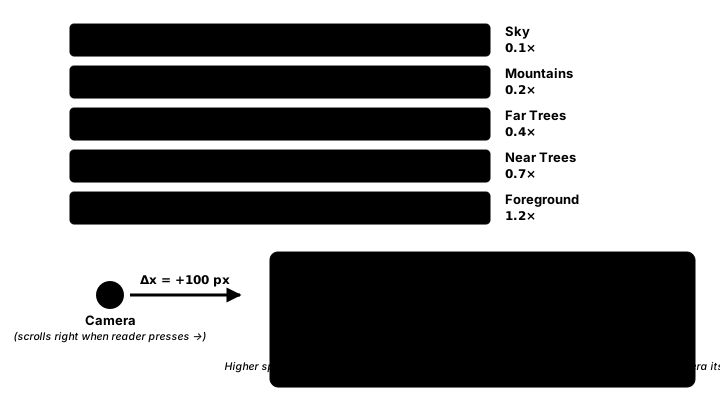
Interactive Parallax Demo
Use Arrow Keys/WASD to move and see the parallax effect! Mouse to look around!
Choose Scene:
Selected Layer: None
Camera: (0, 0) | Mouse Offset: (0, 0) | FPS: 60
Active Layers: 5 | Particles: 0 | Scene: Forest
Parallax Implementation
import pygame
import math
from typing import List, Tuple, Optional

class ParallaxLayer:
    """Single parallax layer"""
    def __init__(self, image: pygame.Surface, speed_x: float, speed_y: float,
                 repeat: bool = True, alpha: int = 255):
        self.image = image
        self.speed_x = speed_x  # 0 = static, 1 = normal, <1 = farther
        self.speed_y = speed_y
        self.repeat = repeat
        self.alpha = alpha
        self.offset_x = 0
        self.offset_y = 0
        self.auto_scroll_x = 0
        self.auto_scroll_y = 0

        # For infinite scrolling
        self.width = image.get_width()
        self.height = image.get_height()

    def update(self, dt: float):
        """Update auto-scrolling"""
        self.offset_x += self.auto_scroll_x * dt
        self.offset_y += self.auto_scroll_y * dt

    def draw(self, screen: pygame.Surface, camera_x: float, camera_y: float):
        """Draw layer with parallax effect"""
        # Calculate parallax position
        x = -(camera_x * self.speed_x + self.offset_x)
        y = -(camera_y * self.speed_y + self.offset_y)

        # Set transparency
        if self.alpha < 255:
            self.image.set_alpha(self.alpha)

        if self.repeat:
            # Tile the image for infinite scrolling
            x = x % self.width
            y = y % self.height

            # Calculate how many tiles we need
            tiles_x = (screen.get_width() // self.width) + 2
            tiles_y = (screen.get_height() // self.height) + 2

            # Draw tiles
            for tx in range(tiles_x):
                for ty in range(tiles_y):
                    screen.blit(self.image,
                              (x + tx * self.width - self.width,
                               y + ty * self.height - self.height))
        else:
            # Draw single image
            screen.blit(self.image, (x, y))

class ParallaxBackground:
    """Manages multiple parallax layers"""
    def __init__(self, screen_width: int, screen_height: int):
        self.screen_width = screen_width
        self.screen_height = screen_height
        self.layers: List[ParallaxLayer] = []

        # Effects
        self.fog_enabled = False
        self.fog_density = 0.5
        self.fog_color = (200, 200, 200)

        # Time of day
        self.time_of_day = 12.0  # 0-24 hours
        self.day_night_cycle = False
        self.day_duration = 120.0  # seconds for full day cycle

    def add_layer(self, layer: ParallaxLayer):
        """Add a new parallax layer"""
        self.layers.append(layer)

    def create_layer_from_color(self, width: int, height: int,
                                color: Tuple[int, int, int],
                                speed_x: float, speed_y: float) -> ParallaxLayer:
        """Create a solid color layer"""
        surface = pygame.Surface((width, height))
        surface.fill(color)
        return ParallaxLayer(surface, speed_x, speed_y)

    def create_gradient_layer(self, width: int, height: int,
                             top_color: Tuple[int, int, int],
                             bottom_color: Tuple[int, int, int],
                             speed_x: float, speed_y: float) -> ParallaxLayer:
        """Create a gradient layer"""
        surface = pygame.Surface((width, height))

        for y in range(height):
            ratio = y / height
            color = [
                int(top_color[i] * (1 - ratio) + bottom_color[i] * ratio)
                for i in range(3)
            ]
            pygame.draw.line(surface, color, (0, y), (width, y))

        return ParallaxLayer(surface, speed_x, speed_y)

    def create_cloud_layer(self, screen_width: int, screen_height: int,
                          cloud_count: int = 5, speed: float = 0.3) -> ParallaxLayer:
        """Generate procedural cloud layer"""
        surface = pygame.Surface((screen_width * 2, screen_height), pygame.SRCALPHA)

        for _ in range(cloud_count):
            x = pygame.time.get_ticks() % (screen_width * 2)
            y = pygame.time.get_ticks() % (screen_height // 2)

            # Draw fluffy cloud from circles
            for i in range(3):
                pygame.draw.circle(surface, (255, 255, 255, 180),
                                 (x + i * 30, y), 20 + i * 10)

        return ParallaxLayer(surface, speed, speed * 0.5, repeat=True)

    def update(self, dt: float):
        """Update all layers"""
        # Update each layer
        for layer in self.layers:
            layer.update(dt)

        # Update time of day
        if self.day_night_cycle:
            self.time_of_day += (24.0 / self.day_duration) * dt
            if self.time_of_day >= 24.0:
                self.time_of_day -= 24.0

    def draw(self, screen: pygame.Surface, camera_x: float, camera_y: float):
        """Draw all layers"""
        # Draw layers from back to front
        for layer in self.layers:
            layer.draw(screen, camera_x, camera_y)

        # Apply time of day overlay
        if self.day_night_cycle:
            self.apply_time_overlay(screen)

        # Apply fog effect
        if self.fog_enabled:
            self.apply_fog(screen)

    def apply_time_overlay(self, screen: pygame.Surface):
        """Apply lighting based on time of day"""
        overlay = pygame.Surface((self.screen_width, self.screen_height))

        hour = self.time_of_day

        if hour < 6 or hour > 20:
            # Night
            overlay.fill((20, 20, 60))
            overlay.set_alpha(180)
        elif hour < 8:
            # Dawn
            overlay.fill((255, 200, 100))
            overlay.set_alpha(100 - int((hour - 6) * 50))
        elif hour > 18:
            # Dusk
            overlay.fill((255, 150, 50))
            overlay.set_alpha(int((hour - 18) * 50))
        else:
            # Day
            return  # No overlay during day

        screen.blit(overlay, (0, 0))

    def apply_fog(self, screen: pygame.Surface):
        """Apply fog effect"""
        fog = pygame.Surface((self.screen_width, self.screen_height))
        fog.fill(self.fog_color)
        fog.set_alpha(int(self.fog_density * 255))

        # Create gradient fog (thicker at bottom)
        for y in range(self.screen_height):
            alpha = int(self.fog_density * 255 * (y / self.screen_height))
            pygame.draw.line(fog, (*self.fog_color, alpha),
                           (0, y), (self.screen_width, y))

        screen.blit(fog, (0, 0))

class AnimatedParallaxLayer(ParallaxLayer):
    """Animated parallax layer with sprite animation"""
    def __init__(self, sprite_sheet: pygame.Surface, frame_width: int,
                 frame_height: int, speed_x: float, speed_y: float,
                 animation_speed: float = 10):
        # Create frames from sprite sheet
        self.frames = []
        sheet_width = sprite_sheet.get_width()
        sheet_height = sprite_sheet.get_height()

        for y in range(0, sheet_height, frame_height):
            for x in range(0, sheet_width, frame_width):
                frame = sprite_sheet.subsurface((x, y, frame_width, frame_height))
                self.frames.append(frame)

        super().__init__(self.frames[0], speed_x, speed_y)

        self.current_frame = 0
        self.animation_speed = animation_speed
        self.animation_timer = 0

    def update(self, dt: float):
        """Update animation"""
        super().update(dt)

        self.animation_timer += dt * self.animation_speed
        if self.animation_timer >= 1:
            self.animation_timer = 0
            self.current_frame = (self.current_frame + 1) % len(self.frames)
            self.image = self.frames[self.current_frame]
Best Practices
⚡ Parallax Tips
- Layer Ordering: Draw from back to front
- Speed Ratios: Consistent depth perception
- Infinite Scrolling: Seamless tiling for endless worlds
- Performance: Reuse textures, minimize overdraw
- Atmosphere: Use fog and color for depth
- Auto-scrolling: Great for runner games
- Mouse Parallax: Subtle depth on mouse movement
- Dynamic Elements: Animated layers add life
Key Takeaways
- 🌄 Parallax creates depth perception in 2D
- 📏 Speed factors control layer movement
- ♾️ Infinite scrolling enables endless worlds
- 🎨 Multiple layers build rich environments
- 🌫️ Atmospheric effects enhance immersion
- 🌙 Day/night cycles add dynamism
- ✨ Particle systems complement parallax
- 🎮 Mouse parallax adds interactivity
🏋️♂️ Practice Exercise
🏋️♂️ Exercise 1: Three Layers, Three Speeds — A Living World in 60 Lines
Objective: Build a side-scrolling demo that exercises the three pillar parallax patterns from the lesson — speed_x as per-layer multiplier on camera position, modulo wrapping for infinite tiling, and back-to-front draw order — in one runnable program. The HUD prints per-layer offsets each frame so the abstract speed scalar becomes a visible number on screen.
Instructions:
- Build three 800×400 layer surfaces in code: a far sky with two suns (so the wrap is visible), a mid mountain silhouette polygon, and a near row of tree silhouettes. Use
SRCALPHAfor the mid + near layers so the sky shows through. - Store layers as a list of
(surface, speed_x)tuples in back-to-front order:[(sky, 0.2), (mid, 0.5), (near, 1.5)]. Far = small speed (drifts past slowly), foreground = speed > 1 (whips past faster than the camera). - Implement
draw_layer(surf, speed_x, camera_x)usingoffset = -(camera_x * speed_x) % LAYER_Wand a tile loop of count(SCREEN_W // LAYER_W) + 2. The+ 2covers the seam at modulo wrap plus the partial tile drawn at negative x. - Player is a 24×40 red rect controlled by Left/Right or A/D arrow keys at 280 px/s. The world is 2400 px wide (3× screen) so the camera scrolls. Camera follows player centered, clamped to
[0, WORLD_W - SCREEN_W]. - Each frame, draw the layers in list order (back-to-front, Painter's algorithm), then draw the player at
player.move(-camera_x, 0). Add a HUD line:camera.x | far_off | mid_off | near_offso the per-layer offsets are visible numerically as you walk.
💡 Hint
The parallax magic is one line: offset = -(camera_x * speed_x) % LAYER_W. The negation flips sign so the world appears to move opposite the camera (camera goes right → layers shift left on screen The modulo creates the infinite-tiling illusion. The tile loop's + 2 is for correctness, not optimization: + 1 alone leaves a 1-pixel gap flashing at the screen edge whenever the modulo wraps the offset back to zero. Draw order matters: if you reverse the list, trees render BEHIND the sky and the depth illusion collapses (Painter's algorithm
✅ Example Solution
import pygame
import sys

pygame.init()
SCREEN_W, SCREEN_H = 800, 400
WORLD_W = 2400              # 3× screen → camera scrolls
LAYER_W = 800               # tile-of-2 covers screen
PLAYER_SPEED = 280

screen = pygame.display.set_mode((SCREEN_W, SCREEN_H))
pygame.display.set_caption("Three Layers, Three Speeds")
clock = pygame.time.Clock()
font = pygame.font.SysFont(None, 22)

# ---- Build 3 layer surfaces ----------------------------------------------
# FAR: sky-blue with two suns (so modulo wrap is visible)
sky = pygame.Surface((LAYER_W, SCREEN_H))
sky.fill((135, 206, 235))
pygame.draw.circle(sky, (255, 220, 100), (200, 80), 50)
pygame.draw.circle(sky, (255, 220, 100), (650, 60), 35)

# MID: mountain silhouette polygon
mid = pygame.Surface((LAYER_W, SCREEN_H), pygame.SRCALPHA)
pygame.draw.polygon(mid, (90, 70, 110), [
    (0, 280), (180, 150), (340, 250), (520, 130),
    (700, 240), (LAYER_W, 220),
    (LAYER_W, SCREEN_H), (0, SCREEN_H)
])

# NEAR: tree silhouettes
near = pygame.Surface((LAYER_W, SCREEN_H), pygame.SRCALPHA)
for tx in (50, 240, 400, 580, 720):
    pygame.draw.rect(near, (30, 80, 30), (tx, 280, 20, 80))
    pygame.draw.circle(near, (30, 80, 30), (tx + 10, 270), 35)

# Layer table — drawn back-to-front per Painter's algorithm
LAYERS = [(sky, 0.2), (mid, 0.5), (near, 1.5)]

def draw_layer(surf, speed_x, camera_x):
    """Parallax + infinite tiling. Tile count covers viewport plus seam."""
    offset = -(camera_x * speed_x) % LAYER_W
    tiles = (SCREEN_W // LAYER_W) + 2
    for i in range(tiles):
        screen.blit(surf, (offset + i * LAYER_W - LAYER_W, 0))

# ---- Player + camera -----------------------------------------------------
player = pygame.Rect(SCREEN_W // 2, 320, 24, 40)
camera_x = 0.0

while True:
    dt = clock.tick(60) / 1000
    for e in pygame.event.get():
        if e.type == pygame.QUIT:
            pygame.quit(); sys.exit()

    keys = pygame.key.get_pressed()
    if keys[pygame.K_LEFT]  or keys[pygame.K_a]:  player.x -= int(PLAYER_SPEED * dt)
    if keys[pygame.K_RIGHT] or keys[pygame.K_d]:  player.x += int(PLAYER_SPEED * dt)
    player.x = max(0, min(player.x, WORLD_W - player.width))

    # Camera follows player, clamped to world
    camera_x = player.x - SCREEN_W // 2
    camera_x = max(0, min(camera_x, WORLD_W - SCREEN_W))

    # Draw layers BACK-TO-FRONT (Painter's algorithm)
    for surf, speed_x in LAYERS:
        draw_layer(surf, speed_x, camera_x)

    # Draw player at world-pos minus camera-pos
    pygame.draw.rect(screen, (220, 60, 60), player.move(-camera_x, 0))

    # HUD: per-layer offsets make speed_x visible numerically
    hud = (f"camera.x={int(camera_x):4d}   "
           f"far_off={int(camera_x*0.2):4d}   "
           f"mid_off={int(camera_x*0.5):4d}   "
           f"near_off={int(camera_x*1.5):4d}")
    screen.blit(font.render(hud, True, (255, 255, 255)), (10, 10))

    pygame.display.flip()
🎯 Quick Quiz
Question 1: The demo's camera moves right at 280 px/s. The sky layer has speed_x = 0.2 and the tree layer has speed_x = 1.5. After 1 second of camera motion, how much has each layer's drawing offset shifted, and what does speed_x represent?
Question 2: The draw formula is offset = -(camera_x * speed_x) % LAYER_W followed by a tile loop of count (SCREEN_W // LAYER_W) + 2. Why + 2 instead of + 1?
Question 3: The demo iterates LAYERS = [(sky, 0.2), (mid, 0.5), (near, 1.5)] in list order to draw. What happens if you reverse that list, and what general principle does the unreversed order follow?
What's Next?
Congratulations on completing the 2D Platformer Development section! Next, we'll dive into AI for Games, learning pathfinding, state machines, and intelligent NPC behavior!