UI/HUD Development
Creating Polished Game Interfaces
Design and implement professional game UIs! Master health bars, inventories, menus, dialog systems, minimaps, and create responsive interfaces that enhance gameplay without overwhelming players! 🎮📊💬
Understanding Game UI/HUD
🎮 The Dashboard Analogy
Think of game UI like a car's dashboard:
- HUD (Heads-Up Display): Critical info always visible (speedometer)
- Menus: Detailed controls when stopped (settings panel)
- Feedback: Immediate responses to actions (warning lights)
- Diegetic UI: Part of the game world (in-car GPS)
- Non-Diegetic UI: Overlay information (score display)
- Responsive: Adapts to different screens and situations
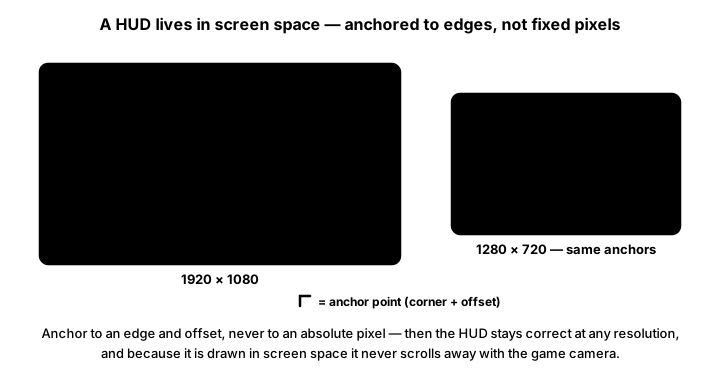
UI/HUD Implementation in Python
import pygame
import math
from enum import Enum
from typing import Dict, List, Optional, Tuple

class UIElement:
    """Base class for all UI elements"""
    def __init__(self, x: int, y: int, width: int, height: int) -> None:
        self.rect: pygame.Rect = pygame.Rect(x, y, width, height)
        self.visible: bool = True
        self.interactive: bool = True
        self.animations: list = []

    def update(self, dt: float) -> None:
        """Update element state"""
        # Update animations
        self.animations = [anim for anim in self.animations
                         if anim.update(dt)]

    def render(self, surface: pygame.Surface) -> None:
        """Render the element"""
        pass

    def handle_event(self, event: pygame.event.Event) -> bool:
        """Handle input events"""
        return False

class HealthBar(UIElement):
    """Health bar UI element"""
    def __init__(self, x: int, y: int, width: int, height: int) -> None:
        super().__init__(x, y, width, height)
        self.max_health: int = 100
        self.current_health: int = 100
        self.animated_health: float = 100
        self.damage_preview: float = 0

        # Visual settings
        self.bg_color: Tuple[int, int, int] = (50, 50, 50)
        self.health_color: Tuple[int, int, int] = (255, 0, 0)
        self.damage_color: Tuple[int, int, int] = (255, 255, 0)
        self.border_color: Tuple[int, int, int] = (100, 100, 100)

    def set_health(self, value: int, max_value: Optional[int] = None) -> None:
        """Update health values"""
        self.current_health = max(0, min(value, self.max_health))
        if max_value:
            self.max_health = max_value

    def preview_damage(self, amount: int) -> None:
        """Show damage preview"""
        self.damage_preview = amount

    def update(self, dt: float) -> None:
        super().update(dt)

        # Smooth health bar animation
        diff = self.current_health - self.animated_health
        self.animated_health += diff * dt * 5

        # Fade damage preview
        if self.damage_preview > 0:
            self.damage_preview = max(0, self.damage_preview - dt * 50)

    def render(self, surface: pygame.Surface) -> None:
        if not self.visible:
            return

        # Draw background
        pygame.draw.rect(surface, self.bg_color, self.rect)

        # Draw health fill
        if self.animated_health > 0:
            health_rect = self.rect.copy()
            health_rect.width = int((self.animated_health / self.max_health) * self.rect.width)
            pygame.draw.rect(surface, self.health_color, health_rect)

        # Draw damage preview
        if self.damage_preview > 0:
            damage_rect = self.rect.copy()
            damage_rect.x += int((self.animated_health / self.max_health) * self.rect.width)
            damage_rect.width = int((self.damage_preview / self.max_health) * self.rect.width)
            pygame.draw.rect(surface, self.damage_color, damage_rect)

        # Draw border
        pygame.draw.rect(surface, self.border_color, self.rect, 2)

        # Draw text
        font = pygame.font.Font(None, 20)
        text = font.render(f"{int(self.current_health)}/{self.max_health}",
                          True, (255, 255, 255))
        text_rect = text.get_rect(center=self.rect.center)
        surface.blit(text, text_rect)

class Minimap(UIElement):
    """Minimap UI element"""
    def __init__(self, x: int, y: int, size: int) -> None:
        super().__init__(x, y, size, size)
        self.world_size: Tuple[int, int] = (1000, 1000)
        self.zoom: float = 0.1
        self.player_pos: Tuple[int, int] = (500, 500)
        self.entities: list = []
        self.objectives: list = []

    def world_to_map(self, world_pos: Tuple[float, float]) -> Tuple[int, int]:
        """Convert world coordinates to minimap coordinates"""
        x = int(self.rect.x + (world_pos[0] / self.world_size[0]) * self.rect.width)
        y = int(self.rect.y + (world_pos[1] / self.world_size[1]) * self.rect.height)
        return (x, y)

    def render(self, surface: pygame.Surface) -> None:
        if not self.visible:
            return

        # Create minimap surface with transparency
        map_surface = pygame.Surface((self.rect.width, self.rect.height))
        map_surface.set_alpha(200)
        map_surface.fill((20, 20, 30))

        # Draw grid
        grid_size = 20
        for i in range(0, self.rect.width, grid_size):
            pygame.draw.line(map_surface, (40, 40, 50),
                           (i, 0), (i, self.rect.height), 1)
            pygame.draw.line(map_surface, (40, 40, 50),
                           (0, i), (self.rect.width, i), 1)

        # Draw objectives
        for obj in self.objectives:
            map_pos = self.world_to_map(obj['pos'])
            pygame.draw.rect(map_surface, (255, 215, 0),
                           (map_pos[0] - 3, map_pos[1] - 3, 6, 6))

        # Draw entities
        for entity in self.entities:
            map_pos = self.world_to_map(entity['pos'])
            color = (255, 0, 0) if entity['type'] == 'enemy' else (0, 255, 0)
            pygame.draw.circle(map_surface, color, map_pos, 2)

        # Draw player
        player_map_pos = self.world_to_map(self.player_pos)
        pygame.draw.polygon(map_surface, (0, 255, 0), [
            (player_map_pos[0], player_map_pos[1] - 4),
            (player_map_pos[0] - 3, player_map_pos[1] + 4),
            (player_map_pos[0] + 3, player_map_pos[1] + 4)
        ])

        # Draw view cone
        pygame.draw.circle(map_surface, (100, 200, 255, 50),
                         player_map_pos, 20, 1)

        # Blit to main surface
        surface.blit(map_surface, self.rect)

        # Draw border
        pygame.draw.rect(surface, (100, 100, 100), self.rect, 2)

class DialogBox(UIElement):
    """Dialog/conversation UI"""
    def __init__(self, x: int, y: int, width: int, height: int) -> None:
        super().__init__(x, y, width, height)
        self.speaker: str = ""
        self.text: str = ""
        self.displayed_text: str = ""
        self.text_speed: int = 30  # Characters per second
        self.text_progress: float = 0
        self.choices: List[str] = []
        self.selected_choice: int = 0
        self.active: bool = False

    def show_dialog(self, speaker: str, text: str, choices: Optional[List[str]] = None) -> None:
        """Display a new dialog"""
        self.speaker = speaker
        self.text = text
        self.displayed_text = ""
        self.text_progress = 0
        self.choices = choices or []
        self.selected_choice = 0
        self.active = True
        self.visible = True

    def update(self, dt: float) -> None:
        if not self.active:
            return

        super().update(dt)

        # Typewriter effect
        if self.text_progress < len(self.text):
            self.text_progress += self.text_speed * dt
            self.displayed_text = self.text[:int(self.text_progress)]

    def render(self, surface: pygame.Surface) -> None:
        if not self.visible:
            return

        # Create dialog surface
        dialog_surface = pygame.Surface((self.rect.width, self.rect.height))
        dialog_surface.set_alpha(240)
        dialog_surface.fill((20, 20, 30))

        # Draw border
        pygame.draw.rect(dialog_surface, (139, 115, 85),
                        (0, 0, self.rect.width, self.rect.height), 3)

        # Draw speaker name
        if self.speaker:
            font = pygame.font.Font(None, 24)
            speaker_text = font.render(self.speaker, True, (255, 215, 0))
            dialog_surface.blit(speaker_text, (10, 10))

        # Draw text
        font = pygame.font.Font(None, 20)
        y_offset = 40

        # Word wrap
        words = self.displayed_text.split(' ')
        lines = []
        current_line = []

        for word in words:
            test_line = ' '.join(current_line + [word])
            text_width = font.size(test_line)[0]

            if text_width > self.rect.width - 20:
                if current_line:
                    lines.append(' '.join(current_line))
                    current_line = [word]
                else:
                    lines.append(word)
            else:
                current_line.append(word)

        if current_line:
            lines.append(' '.join(current_line))

        for line in lines:
            text_surface = font.render(line, True, (255, 255, 255))
            dialog_surface.blit(text_surface, (10, y_offset))
            y_offset += 25

        # Draw choices if available
        if self.choices and self.text_progress >= len(self.text):
            y_offset += 20
            for i, choice in enumerate(self.choices):
                color = (255, 215, 0) if i == self.selected_choice else (200, 200, 200)
                choice_text = font.render(f"> {choice}", True, color)
                dialog_surface.blit(choice_text, (20, y_offset))
                y_offset += 25

        # Blit to main surface
        surface.blit(dialog_surface, self.rect)

class UIManager:
    """Manages all UI elements"""
    def __init__(self, screen_width: int, screen_height: int) -> None:
        self.screen_width: int = screen_width
        self.screen_height: int = screen_height
        self.elements: Dict[str, UIElement] = {}
        self.init_ui()

    def init_ui(self) -> None:
        """Initialize UI elements"""
        # Health bar
        self.elements['health'] = HealthBar(20, 20, 200, 25)

        # Minimap
        self.elements['minimap'] = Minimap(
            self.screen_width - 150, 20, 130
        )

        # Dialog box
        self.elements['dialog'] = DialogBox(
            self.screen_width // 2 - 250,
            self.screen_height - 180,
            500, 150
        )

    def update(self, dt: float) -> None:
        """Update all UI elements"""
        for element in self.elements.values():
            element.update(dt)

    def render(self, surface: pygame.Surface) -> None:
        """Render all UI elements"""
        for element in self.elements.values():
            element.render(surface)

    def handle_event(self, event: pygame.event.Event) -> bool:
        """Handle input events"""
        for element in self.elements.values():
            if element.handle_event(event):
                return True
        return False
Advanced UI Features
# Inventory System
from typing import Any, Optional

class Inventory(UIElement):
    """Grid-based inventory UI"""
    def __init__(self, x: int, y: int, cols: int, rows: int) -> None:
        self.cols: int = cols
        self.rows: int = rows
        self.slot_size: int = 50
        width: int = cols * self.slot_size
        height: int = rows * self.slot_size
        super().__init__(x, y, width, height)

        self.items: list[list[Any]] = [[None for _ in range(cols)] for _ in range(rows)]
        self.selected_slot: Optional[Any] = None
        self.dragging_item: Optional[Any] = None

    def add_item(self, item: Any) -> bool:
        """Add item to first available slot"""
        for y in range(self.rows):
            for x in range(self.cols):
                if self.items[y][x] is None:
                    self.items[y][x] = item
                    return True
        return False

# Notification System
class NotificationSystem:
    """Manages temporary notifications"""
    def __init__(self) -> None:
        self.notifications: list = []
        self.position: tuple[int, int] = (10, 100)
        self.max_notifications: int = 5

    def add_notification(self, text: str, duration: float = 3.0,
                         color: tuple[int, int, int] = (255, 255, 255), icon: Optional[Any] = None) -> None:
        """Add a new notification"""
        self.notifications.append({
            'text': text,
            'duration': duration,
            'elapsed': 0,
            'color': color,
            'icon': icon,
            'alpha': 255
        })

        # Limit notifications
        if len(self.notifications) > self.max_notifications:
            self.notifications.pop(0)

# Tooltip System
class TooltipSystem:
    """Manages hover tooltips"""
    def __init__(self) -> None:
        self.current_tooltip: Optional[dict] = None
        self.hover_time: float = 0
        self.show_delay: float = 0.5

    def set_tooltip(self, text: str, x: int, y: int) -> None:
        """Set tooltip for current frame"""
        self.current_tooltip = {
            'text': text,
            'x': x,
            'y': y
        }
Best Practices
⚡ UI/HUD Tips
- Clarity First: Information should be instantly readable
- Consistency: Use consistent visual language
- Responsive Design: Support multiple resolutions
- Minimal Obstruction: Don't block important gameplay
- Visual Hierarchy: Most important info most prominent
- Feedback: Immediate response to player actions
- Accessibility: Color blind modes, scalable text
- Context Sensitive: Show/hide based on situation
Key Takeaways
- 🎮 Good UI enhances gameplay without distraction
- 📊 HUD shows critical info at a glance
- 💬 Dialog systems drive narrative
- 🗺️ Minimaps aid navigation
- 🎒 Inventories need intuitive interaction
- ✨ Animations provide polish and feedback
- 📱 Responsive design adapts to screens
- ♿ Accessibility ensures everyone can play
🏋️♂️ Practice Exercise
🏋️♂️ Exercise 1: One Manager, Four Elements — Polymorphic Dispatch + Exponential Bar Smoothing + Proportional Minimap Projection in One Pygame Window
Objective: Build a runnable pygame program (~95 lines) that distills the lesson's UIElement / HealthBar / Minimap / DialogBox / UIManager architecture into one runnable pygame demo so each architectural discipline is visible per frame. The window is 1088×480 split into a 768×480 game scene (a dark backdrop standing in for whatever the "real game" would render) and a 320px sidebar HUD. A single `UIManager` holds an elements dict (`health`, `minimap`, `dialog`) plus a list of transient `FloatNumber` elements, and dispatches `update(dt)` / `render(surface)` polymorphically over both via `for e in self.elements.values(): e.update(dt) / e.render(surf)` — the lesson's exact UIManager.update / UIManager.render shape. Three orthogonal UI/HUD disciplines are visible per frame: (a) UIManager polymorphic dispatch as the type-agnostic-loop architecture — the manager iterates one collection without knowing which concrete subclass each element is, calling each element's `update` and `render` methods through the UIElement protocol. HealthBar.update runs exponential-smoothing math, Minimap.update is a no-op (the minimap reads its target's position directly each render), DialogBox.update advances the typewriter character index by `cps * dt`, FloatNumber.update advances the rise-and-fade animation and returns False when life expires — four completely different update bodies, but UIManager calls them all via the same `e.update(dt)` line with no isinstance checks anywhere. Adding a new UI element type (Tooltip, NotificationFeed, Compass, Inventory, MarchingDirectionalArrow) requires creating a class that inherits from UIElement and provides `update`/`render`, adding it to the elements dict, and zero changes to UIManager itself — the textbook Open/Closed Principle: open for extension via new element types, closed for modification of the dispatch loop. (b) Exponential smoothing for HealthBar fill animation — the lesson's exact `animated_health += diff * dt * 5` pattern, expressed in the demo as `self.shown += (self.target - self.shown) * min(dt * 5, 1.0)` (the `min(dt * 5, 1.0)` clamp prevents overshoot at huge dt values like the first frame after a tab-switch where dt could be seconds). This is the FIRST-ORDER LOW-PASS FILTER / EXPONENTIAL APPROACH: each tick the displayed value moves a fraction of the remaining gap toward the target — fast when far, slow when close, naturally easing out without any `if abs(diff) < epsilon` clamp logic. Compare alternatives: `shown = target` (instant snap, jarring, removes the visual feedback signal that "you took damage" in the half-second the eye needs to register the change); `shown += sign(diff) * SPEED * dt` (constant rate, can OVERSHOOT when SPEED * dt > |diff| in a single frame, requires extra clamp logic to avoid oscillation, and feels mechanical because the bar drains at the same pixels-per-second whether the player took 1 damage or 99). The exponential approach naturally settles, never overshoots (the multiplier is < 1 so each step is always smaller than the gap), and is frame-rate independent with `dt`. Same formula, applied here at UI-element-animation scope rather than camera-pursuit / velocity-decay / per-tween-progress scope. (c) Minimap proportional projection as a fundamentally different coordinate transform from camera viewport scrolling — the lesson's `world_to_map(world_pos)` returns `(rect.x + (world_x / world_width) * rect.width, rect.y + (world_y / world_height) * rect.height)`, compressing the WHOLE world (1200×1200 in the demo) onto the small minimap surface (130×130). Every world point has a corresponding minimap point. Compare to platformer_camera's `screen_x = world_x - camera_x` (translation: the screen shows a SLICE of the world at full 1:1 scale, with `camera_x` deciding which slice; most world points outside the camera's slice have NO corresponding screen point). Two different projections for two different design intents: camera viewport shows a small region at fine detail (immediate-vicinity gameplay), minimap shows the whole world at compressed scale (global-structure navigation). The choice of projection IS the design intent — different operators because they answer different questions about the same world), applied here at world-projection scope where the choice is between proportional-scaling-of-whole vs translation-of-slice. Cross-references graphics_postprocessing (UI/HUD typically renders OVER the post-processed scene as an unaffected overlay layer because UI must remain crisp and readable when bloom and tone-mapping would otherwise blur it — the post-processing chain ends and then UI draws on top, the canonical late-stage render-pass ordering; the same orthogonal-coordinate-system-selection from applied at UI-element-positioning scope).
Instructions:
- Set up the 1088×480 pygame window (768×480 game scene + 320×480 sidebar) with a 60 FPS clock and two `pygame.font.SysFont` instances at sizes 13 (sidebar HUD lines) and 17 (in-scene UI labels). Define `WORLD_W, WORLD_H, SIDE_W = 768, 480, 320` and `SCREEN_W = WORLD_W + SIDE_W` so all the in-scene UI elements can be positioned with WORLD_W as the right-edge reference for top-right widgets like the minimap.
- Define `UIElement` as the abstract base class with no-op default `update(dt)` and `render(surf)` methods — every concrete subclass overrides one or both, and UIManager calls them through this protocol without knowing which concrete class it's talking to (Python's duck-typing means the base class isn't strictly necessary, but defining it documents the protocol explicitly).
- Implement `HealthBar(UIElement)` with `target` (the canonical HP value, mutated by damage/heal events), `shown` (the displayed value that lerps toward target), and `maxv` (max HP). `update(dt)` runs `self.shown += (self.target - self.shown) * min(dt * 5, 1.0)` — the exponential approach. `render(surf)` draws the empty bar background, the filled portion sized as `(shown / maxv) * rect.w` (so the visible width tracks the smoothing animation, not the snap-target), the bar border, and a centered text label showing `'HP %d / %d' % (int(shown), maxv)`.
- Implement `Minimap(UIElement)` with `world = (1200, 1200)` (the full world dimensions, deliberately larger than the visible 768×480 scene area to show the projection compresses), `player = [600.0, 600.0]` (the player's world position, mutated by the keyboard movement loop), and `world_to_map(wx, wy)` returning `(rect.x + int((wx / world[0]) * rect.w), rect.y + int((wy / world[1]) * rect.h))`. `render(surf)` paints a dark background, four grid lines for visual orientation, the player as a small green circle at the projected map position, and the minimap border.
- Implement `DialogBox(UIElement)` with `text` (full string), `shown` (currently-revealed prefix), `progress` (float character index), `cps = 28.0` (typewriter speed in chars/sec), and `active` (visibility flag). A `show(text)` method resets state and activates the box. `update(dt)` advances `progress += cps * dt` while `progress < len(text)`, slicing `shown = text[:int(progress)]`. `render(surf)` paints the dialog background + border, then word-wraps `shown` to the box width using `font_md.size(...)` to measure each candidate line.
- Implement `FloatNumber(UIElement)` as the transient damage/heal numbers that rise and fade. State: `(x, y, value, color, life=0.0, max_life=1.0)`. `update(dt)` increments life, decrements y by `40 * dt` (rise), and returns `self.life < self.max_life` (the boolean alive-flag from — True keeps the element in UIManager's float list, False removes it). `render(surf)` computes `alpha = max(0, 255 - int(255 * life / max_life))` for the linear fade, renders the value text with `'+'` prefix when value is positive, applies the alpha, and blits at (x, y).
- Implement `UIManager` with `elements` dict (`health` / `minimap` / `dialog`) and a `floats` list. `update(dt)` runs `for e in self.elements.values(): e.update(dt)` then `self.floats = [f for f in self.floats if f.update(dt)]` (boolean-return cull). `render(surf)` runs `for e in self.elements.values(): e.render(surf)` then `for f in self.floats: f.render(surf)` so transient floats draw on top of the persistent elements. `damage(n)` and `heal(n)` mutate the HealthBar's target and append a colored FloatNumber.
- Run the main loop: clock tick + event handling (key 1 = `ui.damage(15)`; key 2 = `ui.heal(10)`; key D = `ui.elements['dialog'].show(...)`); arrow-key polling moves `ui.elements['minimap'].player` at 220 px/s clamped to `[0, 1200]`; `ui.update(dt)` then `screen.fill(...)` then `ui.render(screen)` then sidebar HUD rendering with live values for the HealthBar target and shown, the Minimap player coordinate, and the FloatNumber alive count — every signal feeding the polymorphic loop is on screen as concrete numbers per frame, so the abstract UIManager-dispatch / exponential-approach / proportional-projection / bool-return-cull shapes become directly observable.
💡 Hint
The polymorphic dispatch loop (`for e in self.elements.values(): e.update(dt)`) requires every element class to define `update(dt)` and `render(surf)` even when one is a no-op — if Minimap omits update entirely, the dispatch loop crashes with AttributeError when it tries to call `e.update(dt)` on a Minimap instance. Defining no-op stubs on the UIElement base class (or on each concrete class) keeps the dispatch loop type-agnostic without requiring the loop to check `hasattr(e, 'update')` per iteration. The exponential smoothing's `min(dt * 5, 1.0)` clamp matters: at the first frame after a tab-switch or window-resize stall, dt could be 2 seconds, and `(target - shown) * dt * 5 = (target - shown) * 10` would overshoot the target by 9x and the bar would visibly bounce — the `min(..., 1.0)` clamp caps the per-frame approach at 100% of the remaining gap so the worst case is "snap to target" rather than "overshoot then oscillate". For the FloatNumber alpha fade, `surf.set_alpha(a)` applies one alpha value to the WHOLE surface. The common belief is backwards: set_alpha is exactly the tool for ordinary surfaces WITHOUT per-pixel alpha (a plain `pygame.Surface((w, h))`) — it works there. It is a per-pixel-alpha surface created with `pygame.Surface((w, h), pygame.SRCALPHA)` that historically ignored set_alpha (pygame 1.x let per-pixel alpha take precedence; pygame 2 combines the two). The antialiased text surface returned by `font.render(text, True, color)` carries per-pixel alpha, so the set_alpha fade used here relies on that pygame-2 combining behavior. The minimap proportional projection's integer cast `int((wx / world[0]) * rect.w)` floors the result — don't pass `wx / world[0] * rect.w` directly to `pygame.draw.circle` because pygame expects integer pixel coordinates and floats trigger DeprecationWarning since pygame 2.0. The DialogBox word-wrap uses `font.size(test)[0]` to measure pixel width of a candidate line; this is per-character font-metrics and works correctly for the default monospace and proportional fonts, but if you switch to a font with kerning pairs (custom TTF) the width may not exactly match the rendered width — for production-grade dialog boxes, render the line and check `surface.get_width()` instead of pre-measuring.
✅ Example Solution
import pygame
pygame.init()
WORLD_W, WORLD_H, SIDE_W = 768, 480, 320
SCREEN_W = WORLD_W + SIDE_W
screen = pygame.display.set_mode((SCREEN_W, WORLD_H))
clock  = pygame.time.Clock()
font_sm = pygame.font.SysFont('consolas', 13)
font_md = pygame.font.SysFont('consolas', 17)

# UIElement: abstract base -- every concrete element supplies update + render
class UIElement:
    def update(self, dt: float) -> None: pass
    def render(self, surf: pygame.Surface) -> None: pass

class HealthBar(UIElement):
    def __init__(self, x: int, y: int, w: int, h: int) -> None:
        self.rect: pygame.Rect = pygame.Rect(x, y, w, h)
        self.target: int = 100; self.shown: float = 100.0; self.maxv: int = 100
    def update(self, dt: float) -> None:
        # Exponential approach: ease-out, no overshoot, frame-rate independent
        self.shown += (self.target - self.shown) * min(dt * 5, 1.0)
    def render(self, surf: pygame.Surface) -> None:
        pygame.draw.rect(surf, (35, 35, 45), self.rect)
        fw = int((self.shown / self.maxv) * self.rect.w)
        pygame.draw.rect(surf, (220, 60, 60), (self.rect.x, self.rect.y, fw, self.rect.h))
        pygame.draw.rect(surf, (200, 200, 210), self.rect, 2)
        txt = font_sm.render('HP %d / %d' % (int(self.shown), self.maxv), True, (240, 240, 240))
        surf.blit(txt, txt.get_rect(center=self.rect.center))

class Minimap(UIElement):
    def __init__(self, x: int, y: int, sz: int) -> None:
        self.rect: pygame.Rect = pygame.Rect(x, y, sz, sz)
        self.world: tuple[int, int] = (1200, 1200)              # WORLD bigger than scene area
        self.player: list[float] = [600.0, 600.0]
    def world_to_map(self, wx: float, wy: float) -> tuple[int, int]:
        # Proportional projection: whole world compressed into rect.w x rect.h
        mx = self.rect.x + int((wx / self.world[0]) * self.rect.w)
        my = self.rect.y + int((wy / self.world[1]) * self.rect.h)
        return mx, my
    def render(self, surf: pygame.Surface) -> None:
        pygame.draw.rect(surf, (15, 22, 35), self.rect)
        for i in range(1, 5):
            x = self.rect.x + i * self.rect.w // 5
            y = self.rect.y + i * self.rect.h // 5
            pygame.draw.line(surf, (40, 50, 70), (x, self.rect.y), (x, self.rect.bottom), 1)
            pygame.draw.line(surf, (40, 50, 70), (self.rect.x, y), (self.rect.right, y), 1)
        px, py = self.world_to_map(*self.player)
        pygame.draw.circle(surf, (90, 220, 100), (px, py), 4)
        pygame.draw.rect(surf, (200, 200, 210), self.rect, 2)

class DialogBox(UIElement):
    def __init__(self, x: int, y: int, w: int, h: int) -> None:
        self.rect: pygame.Rect = pygame.Rect(x, y, w, h)
        self.text: str = ''; self.shown: str = ''; self.progress: float = 0.0
        self.cps: float = 28.0; self.active: bool = False
    def show(self, text: str) -> None:
        self.text = text; self.shown = ''; self.progress = 0.0; self.active = True
    def update(self, dt: float) -> None:
        if not self.active: return
        if self.progress < len(self.text):
            self.progress += self.cps * dt
            self.shown = self.text[:int(self.progress)]
    def render(self, surf: pygame.Surface) -> None:
        if not self.active: return
        pygame.draw.rect(surf, (20, 20, 30), self.rect)
        pygame.draw.rect(surf, (139, 115, 85), self.rect, 3)
        words, line, lines = self.shown.split(' '), [], []
        for w in words:
            test = ' '.join(line + [w])
            if font_md.size(test)[0] > self.rect.w - 20:
                if line: lines.append(' '.join(line)); line = [w]
                else:    lines.append(w)
            else:        line.append(w)
        if line: lines.append(' '.join(line))
        for i, ln in enumerate(lines[:3]):
            surf.blit(font_md.render(ln, True, (240, 240, 240)),
                      (self.rect.x + 12, self.rect.y + 10 + i * 22))

class FloatNumber(UIElement):
    """Transient UI element -- bool-return cull pattern from an earlier lesson."""
    def __init__(self, x: int, y: int, value: int, color: tuple[int, int, int]) -> None:
        self.x: int = x
        self.y: float = y
        self.value: int = value
        self.color: tuple[int, int, int] = color
        self.life: float = 0.0; self.max_life: float = 1.0
    def update(self, dt: float) -> bool:
        self.life += dt; self.y -= 40 * dt
        return self.life < self.max_life      # alive flag drives one-line cull
    def render(self, surf: pygame.Surface) -> None:
        a = max(0, 255 - int(255 * self.life / self.max_life))
        s = ('+%d' if self.value > 0 else '%d') % self.value
        txt = font_md.render(s, True, self.color); txt.set_alpha(a)
        surf.blit(txt, (self.x, self.y))

class UIManager:
    def __init__(self) -> None:
        self.elements: dict[str, UIElement] = {
            'health':  HealthBar(20, 20, 220, 26),
            'minimap': Minimap(WORLD_W - 150, 20, 130),
            'dialog':  DialogBox(WORLD_W // 2 - 260, WORLD_H - 110, 520, 90),
        }
        self.floats: list[FloatNumber] = []
    def update(self, dt: float) -> None:
        for e in self.elements.values(): e.update(dt)        # polymorphic dispatch
        self.floats = [f for f in self.floats if f.update(dt)]   # bool-return cull
    def render(self, surf: pygame.Surface) -> None:
        for e in self.elements.values(): e.render(surf)      # same dispatch shape
        for f in self.floats: f.render(surf)
    def damage(self, n: int) -> None:
        h = self.elements['health']; h.target = max(0, h.target - n)
        self.floats.append(FloatNumber(60, 32, -n, (255, 90, 90)))
    def heal(self, n: int) -> None:
        h = self.elements['health']; h.target = min(h.maxv, h.target + n)
        self.floats.append(FloatNumber(60, 32, n, (90, 230, 110)))

ui = UIManager()
ui.elements['dialog'].show('1 damage  2 heal  arrows move  D dialog. Bar uses exponential approach.')
running = True
while running:
    dt = clock.tick(60) / 1000.0
    for ev in pygame.event.get():
        if ev.type == pygame.QUIT: running = False
        elif ev.type == pygame.KEYDOWN:
            if   ev.key == pygame.K_1: ui.damage(15)
            elif ev.key == pygame.K_2: ui.heal(10)
            elif ev.key == pygame.K_d:
                ui.elements['dialog'].show(
                    'Polymorphic dispatch: each UIElement subclass implements update and render. '
                    'UIManager iterates one collection without knowing concrete types.')
    keys = pygame.key.get_pressed()
    p = ui.elements['minimap'].player
    if keys[pygame.K_LEFT]:  p[0] = max(   0, p[0] - 220 * dt)
    if keys[pygame.K_RIGHT]: p[0] = min(1200, p[0] + 220 * dt)
    if keys[pygame.K_UP]:    p[1] = max(   0, p[1] - 220 * dt)
    if keys[pygame.K_DOWN]:  p[1] = min(1200, p[1] + 220 * dt)
    ui.update(dt)
    screen.fill((28, 36, 52))
    ui.render(screen)                          # HUD draws OVER the scene
    pygame.draw.rect(screen, (18, 22, 32), (WORLD_W, 0, SIDE_W, WORLD_H))
    hb = ui.elements['health']; mm = ui.elements['minimap']
    lines = [
        '1 / 2   damage / heal',
        'arrows  move  (world is 1200 x 1200)',
        'D       trigger dialog typewriter',
        '',
        'UIManager polymorphic dispatch:',
        '  for e in elements: e.update(dt)',
        '  for e in elements: e.render(surf)',
        '',
        'HealthBar exponential smoothing:',
        '  shown += (target - shown) * dt * 5',
        '  target  : %d' % hb.target,
        '  shown   : %.2f' % hb.shown,
        '',
        'Minimap proportional projection:',
        '  map_x = rect.x + (wx / world_w) * rect.w',
        '  player  : (%d, %d)' % (int(mm.player[0]), int(mm.player[1])),
        '',
        'FloatNumber bool-return cull:',
        '  alive   : %d' % len(ui.floats),
        '',
        'FPS: %d' % int(clock.get_fps()),
    ]
    for i, line in enumerate(lines):
        screen.blit(font_sm.render(line, True, (210, 220, 235)), (WORLD_W + 12, 10 + i * 17))
    pygame.display.flip()
pygame.quit()
🎯 Quick Quiz
Question 1: The lesson's `UIManager.update(dt)` and `UIManager.render(surface)` both run `for element in self.elements.values(): element.update(dt) / element.render(surface)` — a single uniform loop that calls each element's methods without an `isinstance` chain or type-dispatch table. The 2D pygame demo mirrors this with a `UIManager` whose `elements` dict holds heterogeneous subclasses (`HealthBar` / `Minimap` / `DialogBox`) and whose update / render loops iterate the dict values without knowing which concrete class each value is. Which statement most accurately describes WHY this polymorphic-dispatch shape is used (rather than an explicit per-type if/elif chain or a type-keyed dispatch table)?
Question 2: The lesson's `HealthBar.update(dt)` runs `diff = self.current_health - self.animated_health; self.animated_health += diff * dt * 5`, smoothly approaching the target health. The 2D pygame demo expresses this as `self.shown += (self.target - self.shown) * min(dt * 5, 1.0)` so a press of the damage key (which sets `target` instantly to a lower value) produces a visible smooth drain rather than a snap, while the bar never overshoots the new target. Which statement most accurately describes WHY this exponential-approach formula is used (rather than `shown = target` instant assignment, or `shown += sign(diff) * SPEED * dt` constant-rate easing)?
Question 3: The lesson's `Minimap.world_to_map(world_pos)` returns `(rect.x + (world_pos[0] / world_size[0]) * rect.width, rect.y + (world_pos[1] / world_size[1]) * rect.height)` — a proportional scaling that compresses the WHOLE world (e.g., 1000×1000 in the lesson, 1200×1200 in the demo) onto the small minimap surface. Compare this to platformer_camera's `world_to_screen` which translates by camera offset: `screen_x = world_x - camera_x`, showing only the slice of world currently in the camera's viewport at full 1:1 scale. Which statement most accurately describes the relationship between these two coordinate transforms (and which projection is appropriate for which purpose)?
What's Next?
Now that you understand UI/HUD development, next we'll explore procedural generation to create infinite, unique game content!