Camera/Viewport
Creating Dynamic Camera Systems
Camera systems control what players see and how they experience your game world! Learn smooth following, deadzones, camera boundaries, screen shake, zoom effects, and cinematic transitions for professional 2D platformers! 📹🎮🎬
Understanding Camera Systems
🎥 The Film Camera Analogy
Think of game cameras like a film camera operator:
- Viewport: The camera's viewfinder
- World Space: The entire movie set
- Screen Space: What appears on film
- Following: Tracking the main actor
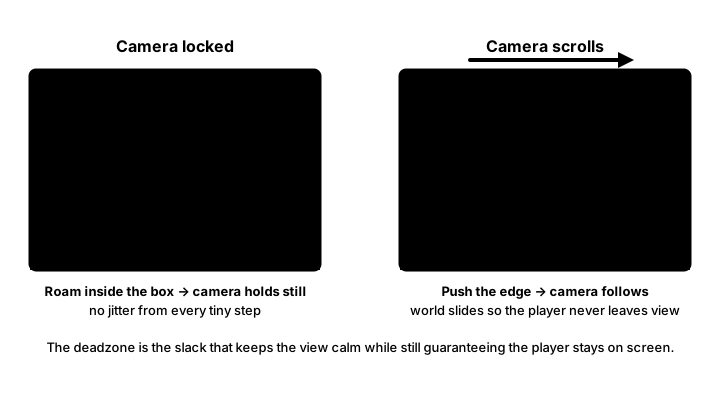
- Deadzone: Allowing natural movement
- Constraints: Staying within the set boundaries
Interactive Camera System Demo
Use Arrow Keys or WASD to move the character. Try different camera modes!
Mode: Smooth Follow | Camera: (0, 0) | Player: (0, 0)
Velocity: (0, 0) | FPS: 60 | Objects in View: 0
Camera System Implementation
import pygame
import math
from enum import Enum
from typing import Optional, Tuple

class CameraMode(Enum):
    """Camera following modes"""
    LOCKED = "locked"
    SMOOTH = "smooth"
    DEADZONE = "deadzone"
    PLATFORM = "platform"
    LOOKAHEAD = "lookahead"
    CINEMATIC = "cinematic"

class Camera:
    """2D camera system for platformers"""
    def __init__(self, width: int, height: int):
        self.width = width
        self.height = height
        self.x = 0
        self.y = 0

        # Target to follow
        self.target = None
        self.mode = CameraMode.SMOOTH

        # Camera settings
        self.smooth_speed = 5.0
        self.deadzone_width = 100
        self.deadzone_height = 80
        self.lookahead_distance = 150
        self.zoom = 1.0

        # Boundaries
        self.min_x = 0
        self.max_x = float('inf')
        self.min_y = -float('inf')
        self.max_y = float('inf')
        self.use_bounds = True

        # Effects
        self.shake_intensity = 0
        self.shake_decay = 10
        self.offset_x = 0
        self.offset_y = 0
        self.rotation = 0

        # Platform snapping
        self.ground_offset = 100
        self.vertical_smooth_factor = 0.5

        # Cinematic settings
        self.lead_factor = 0.3
        self.lag_factor = 0.1

    def set_target(self, target):
        """Set the target to follow"""
        self.target = target

    def set_bounds(self, min_x: float, max_x: float,
                   min_y: float, max_y: float):
        """Set camera boundaries"""
        self.min_x = min_x
        self.max_x = max_x
        self.min_y = min_y
        self.max_y = max_y

    def update(self, dt: float):
        """Update camera position"""
        if not self.target:
            return

        # Get target center position
        target_x = self.target.rect.centerx - self.width // 2
        target_y = self.target.rect.centery - self.height // 2

        # Apply camera mode
        if self.mode == CameraMode.LOCKED:
            self.update_locked(target_x, target_y)
        elif self.mode == CameraMode.SMOOTH:
            self.update_smooth(target_x, target_y, dt)
        elif self.mode == CameraMode.DEADZONE:
            self.update_deadzone(target_x, target_y)
        elif self.mode == CameraMode.PLATFORM:
            self.update_platform(target_x, target_y, dt)
        elif self.mode == CameraMode.LOOKAHEAD:
            self.update_lookahead(target_x, target_y, dt)
        elif self.mode == CameraMode.CINEMATIC:
            self.update_cinematic(target_x, target_y, dt)

        # Apply constraints
        self.apply_constraints()

        # Update effects
        self.update_effects(dt)

    def update_locked(self, target_x: float, target_y: float):
        """Locked camera - follows target exactly"""
        self.x = target_x
        self.y = target_y

    def update_smooth(self, target_x: float, target_y: float, dt: float):
        """Smooth follow with interpolation"""
        dx = target_x - self.x
        dy = target_y - self.y

        self.x += dx * self.smooth_speed * dt
        self.y += dy * self.smooth_speed * dt

    def update_deadzone(self, target_x: float, target_y: float):
        """Deadzone camera - only moves when target leaves zone"""
        camera_center_x = self.x + self.width // 2
        camera_center_y = self.y + self.height // 2

        target_center_x = self.target.rect.centerx
        target_center_y = self.target.rect.centery

        # Horizontal deadzone
        if target_center_x - camera_center_x > self.deadzone_width // 2:
            self.x += target_center_x - camera_center_x - self.deadzone_width // 2
        elif target_center_x - camera_center_x < -self.deadzone_width // 2:
            self.x += target_center_x - camera_center_x + self.deadzone_width // 2

        # Vertical deadzone
        if target_center_y - camera_center_y > self.deadzone_height // 2:
            self.y += target_center_y - camera_center_y - self.deadzone_height // 2
        elif target_center_y - camera_center_y < -self.deadzone_height // 2:
            self.y += target_center_y - camera_center_y + self.deadzone_height // 2

    def update_platform(self, target_x: float, target_y: float, dt: float):
        """Platform-specific camera movement"""
        # Smooth horizontal following
        dx = target_x - self.x
        self.x += dx * self.smooth_speed * dt

        # Vertical behavior based on grounded state
        if hasattr(self.target, 'grounded') and self.target.grounded:
            # Snap to ground level when grounded
            ground_y = self.target.rect.bottom - self.ground_offset
            target_y = ground_y - self.height + self.ground_offset
            dy = target_y - self.y
            self.y += dy * self.smooth_speed * dt
        else:
            # Slower vertical following when in air
            dy = target_y - self.y
            self.y += dy * self.smooth_speed * self.vertical_smooth_factor * dt

    def update_lookahead(self, target_x: float, target_y: float, dt: float):
        """Look ahead based on velocity"""
        # Calculate lookahead based on velocity
        if hasattr(self.target, 'velocity'):
            lookahead_x = target_x + self.target.velocity.x * self.lead_factor
            lookahead_y = target_y + min(0, self.target.velocity.y * self.lag_factor)
        else:
            lookahead_x = target_x
            lookahead_y = target_y

        # Smooth follow to lookahead position
        dx = lookahead_x - self.x
        dy = lookahead_y - self.y

        self.x += dx * self.smooth_speed * dt
        self.y += dy * self.smooth_speed * dt

    def update_cinematic(self, target_x: float, target_y: float, dt: float):
        """Cinematic camera with advanced smoothing"""
        # Add directional bias
        if hasattr(self.target, 'facing'):
            bias_x = self.target.facing * self.lookahead_distance
        else:
            bias_x = 0

        target_x += bias_x

        # Exponential smoothing
        smooth_factor = 1 - math.exp(-self.smooth_speed * dt)

        self.x += (target_x - self.x) * smooth_factor
        self.y += (target_y - self.y) * smooth_factor * 0.5

    def apply_constraints(self):
        """Apply boundary constraints"""
        if self.use_bounds:
            # Constrain X
            max_x = self.max_x - self.width / self.zoom
            self.x = max(self.min_x, min(self.x, max_x))

            # Constrain Y
            max_y = self.max_y - self.height / self.zoom
            self.y = max(self.min_y, min(self.y, max_y))

    def update_effects(self, dt: float):
        """Update camera effects"""
        # Screen shake
        if self.shake_intensity > 0:
            self.offset_x = (pygame.time.get_ticks() % 100 - 50) * \
                           self.shake_intensity / 50
            self.offset_y = (pygame.time.get_ticks() % 150 - 75) * \
                           self.shake_intensity / 75

            self.shake_intensity -= self.shake_decay * dt
            self.shake_intensity = max(0, self.shake_intensity)
        else:
            self.offset_x = 0
            self.offset_y = 0

    def shake(self, intensity: float = 10):
        """Trigger camera shake"""
        self.shake_intensity = intensity

    def zoom_in(self, factor: float = 1.1):
        """Zoom in"""
        self.zoom = min(3.0, self.zoom * factor)

    def zoom_out(self, factor: float = 0.9):
        """Zoom out"""
        self.zoom = max(0.5, self.zoom * factor)

    def world_to_screen(self, world_x: float, world_y: float) -> Tuple[float, float]:
        """Convert world coordinates to screen coordinates"""
        screen_x = (world_x - self.x - self.offset_x) * self.zoom
        screen_y = (world_y - self.y - self.offset_y) * self.zoom
        return screen_x, screen_y

    def screen_to_world(self, screen_x: float, screen_y: float) -> Tuple[float, float]:
        """Convert screen coordinates to world coordinates"""
        world_x = screen_x / self.zoom + self.x + self.offset_x
        world_y = screen_y / self.zoom + self.y + self.offset_y
        return world_x, world_y

    def is_visible(self, rect: pygame.Rect) -> bool:
        """Check if rectangle is visible in camera view"""
        camera_rect = pygame.Rect(self.x, self.y,
                                  self.width / self.zoom,
                                  self.height / self.zoom)
        return camera_rect.colliderect(rect)

    def apply(self, surface: pygame.Surface) -> pygame.Surface:
        """Apply camera transformations to surface"""
        if self.zoom != 1.0:
            # Scale surface
            new_size = (int(surface.get_width() * self.zoom),
                       int(surface.get_height() * self.zoom))
            surface = pygame.transform.scale(surface, new_size)

        if self.rotation != 0:
            # Rotate surface
            surface = pygame.transform.rotate(surface, self.rotation)

        return surface
Advanced Camera Features
# Split screen camera system
class SplitScreenCamera:
    """Split screen camera for multiplayer"""
    def __init__(self, screen_width: int, screen_height: int,
                 num_players: int = 2):
        self.screen_width = screen_width
        self.screen_height = screen_height
        self.num_players = num_players
        self.cameras = []
        self.viewports = []

        self.setup_viewports()

    def setup_viewports(self):
        """Setup viewport rectangles for each player"""
        if self.num_players == 2:
            # Horizontal split
            self.viewports = [
                pygame.Rect(0, 0, self.screen_width // 2, self.screen_height),
                pygame.Rect(self.screen_width // 2, 0,
                           self.screen_width // 2, self.screen_height)
            ]
        elif self.num_players == 4:
            # Quad split
            half_width = self.screen_width // 2
            half_height = self.screen_height // 2
            self.viewports = [
                pygame.Rect(0, 0, half_width, half_height),
                pygame.Rect(half_width, 0, half_width, half_height),
                pygame.Rect(0, half_height, half_width, half_height),
                pygame.Rect(half_width, half_height, half_width, half_height)
            ]

        # Create cameras for each viewport
        for viewport in self.viewports:
            camera = Camera(viewport.width, viewport.height)
            self.cameras.append(camera)

    def update(self, dt: float):
        """Update all cameras"""
        for camera in self.cameras:
            camera.update(dt)

    def render(self, screen: pygame.Surface, world_render_func):
        """Render world for each camera"""
        for camera, viewport in zip(self.cameras, self.viewports):
            # Create surface for this viewport
            viewport_surface = pygame.Surface((viewport.width, viewport.height))

            # Render world to viewport surface
            world_render_func(viewport_surface, camera)

            # Blit to main screen
            screen.blit(viewport_surface, viewport.topleft)

            # Draw viewport border
            pygame.draw.rect(screen, (255, 255, 255), viewport, 2)

# Camera transitions
class CameraTransition:
    """Smooth camera transitions"""
    def __init__(self, camera: Camera):
        self.camera = camera
        self.transitioning = False
        self.start_pos = (0, 0)
        self.end_pos = (0, 0)
        self.duration = 1.0
        self.elapsed = 0.0
        self.easing_func = self.ease_in_out_quad

    def start_transition(self, target_x: float, target_y: float,
                        duration: float = 1.0):
        """Start camera transition"""
        self.transitioning = True
        self.start_pos = (self.camera.x, self.camera.y)
        self.end_pos = (target_x, target_y)
        self.duration = duration
        self.elapsed = 0.0

    def update(self, dt: float):
        """Update transition"""
        if not self.transitioning:
            return

        self.elapsed += dt
        progress = min(self.elapsed / self.duration, 1.0)

        # Apply easing
        eased_progress = self.easing_func(progress)

        # Interpolate position
        self.camera.x = self.start_pos[0] + \
                       (self.end_pos[0] - self.start_pos[0]) * eased_progress
        self.camera.y = self.start_pos[1] + \
                       (self.end_pos[1] - self.start_pos[1]) * eased_progress

        if progress >= 1.0:
            self.transitioning = False

    def ease_in_out_quad(self, t: float) -> float:
        """Quadratic ease in/out"""
        if t < 0.5:
            return 2 * t * t
        return 1 - pow(-2 * t + 2, 2) / 2

    def ease_in_out_cubic(self, t: float) -> float:
        """Cubic ease in/out"""
        if t < 0.5:
            return 4 * t * t * t
        return 1 - pow(-2 * t + 2, 3) / 2

# Camera zones
class CameraZone:
    """Define camera behavior zones"""
    def __init__(self, rect: pygame.Rect, mode: CameraMode = CameraMode.SMOOTH,
                 zoom: float = 1.0):
        self.rect = rect
        self.mode = mode
        self.zoom = zoom
        self.properties = {}

    def contains(self, x: float, y: float) -> bool:
        """Check if point is in zone"""
        return self.rect.collidepoint(x, y)

    def apply_to_camera(self, camera: Camera, smooth: bool = True):
        """Apply zone settings to camera"""
        if smooth:
            # Smooth transition
            camera.mode = self.mode
            # Animate zoom change
            if camera.zoom != self.zoom:
                # Would implement smooth zoom
                pass
        else:
            camera.mode = self.mode
            camera.zoom = self.zoom
Best Practices
⚡ Camera Tips
- Smooth Movement: Use interpolation for fluid camera motion
- Deadzones: Allow player movement without camera jitter
- Look Ahead: Show where the player is going
- Boundaries: Keep camera within level bounds
- Platform Snapping: Reduce vertical motion when grounded
- Screen Shake: Use sparingly for impact
- Zoom Control: Adjust view for different areas
- Transitions: Smooth camera moves between areas
Key Takeaways
- 📹 Camera systems control the player's view
- 🎯 Different modes suit different game styles
- 📦 Deadzones reduce camera motion sickness
- 🌊 Smooth following creates professional feel
- 👀 Look-ahead shows upcoming challenges
- 🎬 Cinematic cameras enhance storytelling
- 🔧 Effects like shake add game feel
- 📐 Viewport management optimizes rendering
🏋️♂️ Practice Exercise
🏋️♂️ Exercise 1: Three Cameras, Same Player — Smooth vs Deadzone vs Locked
Objective: Build a runnable pygame mini-platformer that exercises the three pillar camera patterns from the lesson — smooth-follow exponential decay, deadzone-only-when-target-leaves-rect, and locked-tracks-target-exactly — in one ~85-line program with runtime-toggleable modes (keys 1 / 2 / 3) so the player feels each mode's contribution by direct comparison. The world (1600×600) is much larger than the 640×360 screen so the camera scrolls; an amber lag-indicator line in smooth mode and a yellow deadzone rect in deadzone mode make each mode's mechanic visible. All world-space objects render through a single world_to_screen(wx, wy) helper so the camera-as-translation-offset pattern from vectors lesson is exercised concretely.
Instructions:
- Set up a 640×360 pygame window with
WORLD_W, WORLD_H = 1600, 600(world is 2.5× wider than screen, ~1.7× taller — forces camera scroll on both axes when the player jumps onto raised platforms). - Build platforms as a list of
pygame.Rectin world space: a full-width floor (pygame.Rect(0, 320, WORLD_W, 40)) plus 5–6 floating platforms scattered across the world width (so the camera has reason to scroll horizontally as the player traverses). - Player
pygame.Rect, vx/vy floats, gravity, jump-on-grounded — same shape as M2's tilemap exercise. - Camera state:
camera_x, camera_yfloats;mode = "smooth"string toggled by KEYDOWN onK_1/K_2/K_3; constantsSMOOTH_SPEED = 4.0andDEADZONE_W, DEADZONE_H = 200, 120. - Each frame, compute
target_x = player.centerx - SCREEN_W/2andtarget_y = player.centery - SCREEN_H/2(the camera position that would put the player at screen center). - Smooth mode implements the lesson's
update_smooth:camera_x += (target_x - camera_x) * SMOOTH_SPEED * dt(and the y equivalent). The dx-proportional update produces exponential decay — camera moves fast when far from target, slow when close — without overshoot or oscillation. Same mathematical shape as frictionvelocity *= (1 - decay * dt). - Deadzone mode implements
update_deadzone: computedx = player.centerx - cam_cxwherecam_cx = camera_x + SCREEN_W/2; only nudge camera when|dx| > DEADZONE_W/2(and similarly for y). Inside the deadzone, the camera doesn't move at all — player can wiggle without inducing camera jitter. - Locked mode is the trivial case:
camera_x = target_x; camera_y = target_y. Player at screen center every frame; any player jitter becomes camera jitter (which is the WHOLE point of contrasting it with the other two modes). - After the per-mode update, clamp camera to world bounds:
camera_x = max(0, min(camera_x, WORLD_W - SCREEN_W))(and y equivalent). This is the lesson'sapply_constraintspattern, shared across all 3 modes — keeps off-world gray bars from showing at level edges. - Render every world-space object via
world_to_screen(wx, wy)returning(wx - camera_x, wy - camera_y)— the lesson'sworld_to_screenat zoom=1. One helper, one pattern, every platform + the player. - Visualize each mode's mechanic: smooth mode draws an amber line from screen-center (where locked WOULD put the player) to the player's actual on-screen position — the line LENGTH visualizes the lag; deadzone mode draws the centered deadzone rect in yellow so the tolerance window is visible; locked mode is its own visualization (player nailed to screen center).
- HUD shows current mode, player + camera positions, and a live lag value
abs(player.centerx - (camera_x + SCREEN_W/2))— numerically zero in locked, oscillates near zero in smooth (asymptotic decay), stays insideDEADZONE_W/2 = 100in deadzone.
💡 Hint
The smooth mode formula camera_x += (target_x - camera_x) * SMOOTH_SPEED * dt looks like a constant-speed approach but isn't — the multiplier (target_x - camera_x) is itself the gap, so each frame covers a constant FRACTION of remaining distance, not a constant absolute distance. That's what makes it exponential decay rather than linear approach. Bumping SMOOTH_SPEED makes the camera tighter (closer to locked); lowering it makes the lag more pronounced.
✅ Example Solution
"""Three Cameras, Same Player — smooth vs deadzone vs locked, side by side feel."""
import pygame, sys

pygame.init()
SCREEN_W, SCREEN_H = 640, 360
WORLD_W, WORLD_H = 1600, 600
SCREEN = pygame.display.set_mode((SCREEN_W, SCREEN_H))
pygame.display.set_caption("Three Cameras, Same Player")
FONT = pygame.font.SysFont("monospace", 13)
CLOCK = pygame.time.Clock()

# World: floor + scattered platforms (drawn in world space)
PLATFORMS = [
    pygame.Rect(0, 320, WORLD_W, 40),
    pygame.Rect(200, 250, 120, 16),
    pygame.Rect(450, 200, 120, 16),
    pygame.Rect(700, 260, 100, 16),
    pygame.Rect(900, 180, 140, 16),
    pygame.Rect(1150, 240, 100, 16),
    pygame.Rect(1400, 200, 120, 16),
]

# Player
player = pygame.Rect(80, 250, 22, 32)
vx, vy = 0.0, 0.0
SPEED, GRAV, JUMP = 280.0, 1400.0, 520.0
grounded = False

# Camera: three modes selectable via keys 1/2/3
camera_x, camera_y = 0.0, 0.0
mode = "smooth"  # "smooth" | "deadzone" | "locked"
SMOOTH_SPEED = 4.0
DEADZONE_W, DEADZONE_H = 200, 120

def world_to_screen(wx, wy):
    return wx - camera_x, wy - camera_y

while True:
    dt = CLOCK.tick(60) / 1000.0
    for e in pygame.event.get():
        if e.type == pygame.QUIT:
            pygame.quit(); sys.exit()
        if e.type == pygame.KEYDOWN:
            if e.key == pygame.K_1: mode = "smooth"
            if e.key == pygame.K_2: mode = "deadzone"
            if e.key == pygame.K_3: mode = "locked"
            if e.key == pygame.K_SPACE and grounded:
                vy = -JUMP; grounded = False

    keys = pygame.key.get_pressed()
    vx = ((1 if keys[pygame.K_RIGHT] or keys[pygame.K_d] else 0)
        - (1 if keys[pygame.K_LEFT]  or keys[pygame.K_a] else 0)) * SPEED
    vy += GRAV * dt

    # Move + collide (X then Y, two-pass)
    player.x += int(vx * dt)
    for plat in PLATFORMS:
        if player.colliderect(plat):
            if vx > 0:   player.right = plat.left
            elif vx < 0: player.left  = plat.right
            vx = 0
    player.y += int(vy * dt)
    grounded = False
    for plat in PLATFORMS:
        if player.colliderect(plat):
            if vy > 0:
                player.bottom = plat.top; grounded = True
            elif vy < 0:
                player.top = plat.bottom
            vy = 0

    # Camera updates — three modes
    target_x = player.centerx - SCREEN_W / 2
    target_y = player.centery - SCREEN_H / 2

    if mode == "smooth":
        # Exponential-decay lag toward target
        camera_x += (target_x - camera_x) * SMOOTH_SPEED * dt
        camera_y += (target_y - camera_y) * SMOOTH_SPEED * dt
    elif mode == "deadzone":
        # Only move when target leaves centered rect
        cam_cx = camera_x + SCREEN_W / 2
        cam_cy = camera_y + SCREEN_H / 2
        dx = player.centerx - cam_cx
        dy = player.centery - cam_cy
        if dx >  DEADZONE_W / 2: camera_x += dx - DEADZONE_W / 2
        if dx < -DEADZONE_W / 2: camera_x += dx + DEADZONE_W / 2
        if dy >  DEADZONE_H / 2: camera_y += dy - DEADZONE_H / 2
        if dy < -DEADZONE_H / 2: camera_y += dy + DEADZONE_H / 2
    elif mode == "locked":
        camera_x, camera_y = target_x, target_y

    # Clamp to world bounds (shared across modes)
    camera_x = max(0, min(camera_x, WORLD_W - SCREEN_W))
    camera_y = max(0, min(camera_y, WORLD_H - SCREEN_H))

    # Render via world_to_screen for every world-space object
    SCREEN.fill((44, 62, 80))
    for plat in PLATFORMS:
        sx, sy = world_to_screen(plat.x, plat.y)
        pygame.draw.rect(SCREEN, (139, 69, 19), (sx, sy, plat.w, plat.h))
    psx, psy = world_to_screen(player.x, player.y)
    pygame.draw.rect(SCREEN, (76, 175, 80), (psx, psy, player.w, player.h))

    # Per-mode mechanic visualization
    if mode == "smooth":
        pcx, pcy = world_to_screen(player.centerx, player.centery)
        pygame.draw.line(SCREEN, (255, 200, 80),
                         (SCREEN_W / 2, SCREEN_H / 2), (pcx, pcy), 2)
    elif mode == "deadzone":
        dz = pygame.Rect(SCREEN_W / 2 - DEADZONE_W / 2,
                         SCREEN_H / 2 - DEADZONE_H / 2,
                         DEADZONE_W, DEADZONE_H)
        pygame.draw.rect(SCREEN, (255, 255, 80), dz, 2)

    # HUD
    lag = abs(player.centerx - (camera_x + SCREEN_W / 2))
    hud = [
        f"Mode: [{mode.upper()}]   1=smooth  2=deadzone  3=locked   SPACE=jump",
        f"Player: ({player.x:4d}, {player.y:4d})   Camera: ({camera_x:6.1f}, {camera_y:6.1f})",
        f"Lag: {lag:5.1f} px   (smooth=oscillates, deadzone=<100, locked=0)",
    ]
    for i, line in enumerate(hud):
        SCREEN.blit(FONT.render(line, True, (255, 255, 255)), (8, 8 + i * 17))
    pygame.display.flip()
🎯 Quick Quiz
Question 1: The lesson's Camera.update_smooth uses self.x += dx * self.smooth_speed * dt where dx = target_x - self.x. Why this dx-proportional update rather than locking (self.x = target_x) or constant-speed approach (self.x += SPEED * sign(dx) * dt)?
Question 2: The lesson's Camera.update_deadzone only moves the camera when the target's center leaves a rectangle (deadzone_width × deadzone_height) centered on the camera. What player problem does this design solve?
Question 3: The lesson's Camera.world_to_screen(world_x, world_y) returns ((world_x - self.x) * self.zoom, (world_y - self.y) * self.zoom), and screen_to_world(screen_x, screen_y) returns (screen_x / self.zoom + self.x, screen_y / self.zoom + self.y). Why are these two methods exact algebraic inverses of each other?
What's Next?
Now that you've mastered camera systems, next we'll create responsive character controllers for smooth platformer movement!