Tweening and Juice
Making Everything Feel Alive
Transform static games into living, breathing experiences! Master tweening, easing functions, squash & stretch, and juicy feedback that makes every interaction feel amazing! 🎯🎪🌟
Understanding Juice
🎪 The Cartoon Physics Analogy
Think of juice like cartoon animation principles:
- Anticipation: Wind-up before the action
- Squash & Stretch: Deformation shows force and energy
- Overshoot: Going past the target then settling
- Bounce: Natural elastic motion
- Secondary Motion: Trailing elements follow through
- Exaggeration: Amplify for clarity and feel
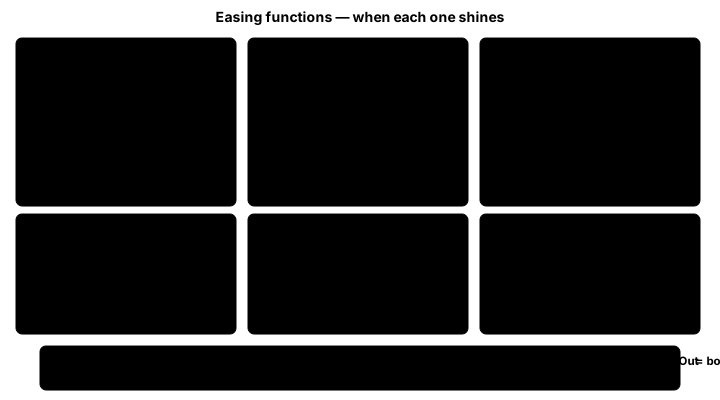
v=1 line in each chart is the destination. linear and easeOutQuad arrive cleanly at 1; easeInOutCubic takes its time at both ends; easeOutBounce hits 1 then settles in decaying bumps; easeOutElastic overshoots dramatically (peak ≈1.27) before oscillating back; easeOutBack overshoots gently (≈1.10) and snaps in. The interactive playground below animates one curve at a time — this strip is for picking which one to try.Interactive Tweening Playground
Click anywhere to see tweening in action! Watch how different easing functions create different feels!
Easing Functions:
Active Tweens: 0 | Particles: 0 | FPS: 60 | Frame Time: 16.7ms
Tweening Implementation in Python
import pygame
import math
from typing import Dict, Any, Callable, Optional, List
from dataclasses import dataclass
from enum import Enum

class EasingType(Enum):
    LINEAR = "linear"
    EASE_IN_QUAD = "ease_in_quad"
    EASE_OUT_QUAD = "ease_out_quad"
    EASE_IN_OUT_QUAD = "ease_in_out_quad"
    EASE_IN_CUBIC = "ease_in_cubic"
    EASE_OUT_CUBIC = "ease_out_cubic"
    EASE_IN_OUT_CUBIC = "ease_in_out_cubic"
    EASE_IN_ELASTIC = "ease_in_elastic"
    EASE_OUT_ELASTIC = "ease_out_elastic"
    EASE_OUT_BOUNCE = "ease_out_bounce"
    EASE_IN_BACK = "ease_in_back"
    EASE_OUT_BACK = "ease_out_back"

class Easing:
    """Collection of easing functions"""

    @staticmethod
    def linear(t: float) -> float:
        return t

    @staticmethod
    def ease_in_quad(t: float) -> float:
        return t * t

    @staticmethod
    def ease_out_quad(t: float) -> float:
        return t * (2 - t)

    @staticmethod
    def ease_in_out_quad(t: float) -> float:
        if t < 0.5:
            return 2 * t * t
        return -1 + (4 - 2 * t) * t

    @staticmethod
    def ease_in_cubic(t: float) -> float:
        return t * t * t

    @staticmethod
    def ease_out_cubic(t: float) -> float:
        t -= 1
        return t * t * t + 1

    @staticmethod
    def ease_in_out_cubic(t: float) -> float:
        if t < 0.5:
            return 4 * t * t * t
        t -= 1
        return 1 + 4 * t * t * t

    @staticmethod
    def ease_in_elastic(t: float) -> float:
        if t == 0:
            return 0
        if t == 1:
            return 1
        return -math.pow(2, 10 * (t - 1)) * math.sin((t - 1.1) * 5 * math.pi)

    @staticmethod
    def ease_out_elastic(t: float) -> float:
        if t == 0:
            return 0
        if t == 1:
            return 1
        return math.pow(2, -10 * t) * math.sin((t - 0.1) * 5 * math.pi) + 1

    @staticmethod
    def ease_out_bounce(t: float) -> float:
        if t < 1/2.75:
            return 7.5625 * t * t
        elif t < 2/2.75:
            t -= 1.5/2.75
            return 7.5625 * t * t + 0.75
        elif t < 2.5/2.75:
            t -= 2.25/2.75
            return 7.5625 * t * t + 0.9375
        else:
            t -= 2.625/2.75
            return 7.5625 * t * t + 0.984375

    @staticmethod
    def ease_in_back(t: float) -> float:
        c1 = 1.70158
        c3 = c1 + 1
        return c3 * t * t * t - c1 * t * t

    @staticmethod
    def ease_out_back(t: float) -> float:
        c1 = 1.70158
        c3 = c1 + 1
        t -= 1
        return 1 + c3 * t * t * t + c1 * t * t

@dataclass
class Tween:
    """Individual tween instance"""
    target: Any
    properties: Dict[str, float]
    duration: float
    easing: Callable[[float], float]
    delay: float = 0
    elapsed: float = 0
    start_values: Dict[str, float] = None
    on_complete: Optional[Callable] = None
    on_update: Optional[Callable] = None
    yoyo: bool = False
    repeat: int = 0
    repeat_count: int = 0

    def __post_init__(self):
        if self.start_values is None:
            self.start_values = {}
            for prop in self.properties:
                if hasattr(self.target, prop):
                    self.start_values[prop] = getattr(self.target, prop)

class TweenManager:
    """Manages all active tweens"""

    def __init__(self) -> None:
        self.tweens: List[Tween] = []
        self.time_scale: float = 1.0

    def create(self, target: Any, properties: Dict[str, float],
              duration: float, easing: EasingType = EasingType.EASE_OUT_QUAD,
              **kwargs) -> Tween:
        """Create and add a new tween"""

        # Get the easing function
        easing_func = getattr(Easing, easing.value)

        tween = Tween(
            target=target,
            properties=properties,
            duration=duration,
            easing=easing_func,
            **kwargs
        )

        self.tweens.append(tween)
        return tween

    def update(self, dt: float) -> None:
        """Update all active tweens"""
        dt *= self.time_scale

        self.tweens = [t for t in self.tweens if self.update_tween(t, dt)]

    def update_tween(self, tween: Tween, dt: float) -> bool:
        """Update individual tween, return False when complete"""
        tween.elapsed += dt

        # Handle delay
        if tween.elapsed < tween.delay:
            return True

        # Calculate progress
        progress = min((tween.elapsed - tween.delay) / tween.duration, 1.0)

        # Apply easing
        eased_progress = tween.easing(progress)

        # Handle yoyo
        if tween.yoyo and tween.repeat_count % 2 == 1:
            eased_progress = 1 - eased_progress

        # Update properties
        for prop, end_value in tween.properties.items():
            if prop in tween.start_values:
                start_value = tween.start_values[prop]
                current_value = start_value + (end_value - start_value) * eased_progress
                setattr(tween.target, prop, current_value)

        # Call update callback
        if tween.on_update:
            tween.on_update(eased_progress)

        # Check completion
        if progress >= 1:
            # Handle repeat
            if tween.repeat > 0 or tween.repeat == -1:
                tween.elapsed = tween.delay
                tween.repeat_count += 1

                if tween.yoyo:
                    # Swap start and end values for yoyo
                    tween.start_values, tween.properties = tween.properties, tween.start_values

                if tween.repeat != -1:
                    tween.repeat -= 1

                return True

            # Call completion callback
            if tween.on_complete:
                tween.on_complete()

            return False

        return True

    def remove(self, tween: Tween) -> None:
        """Remove a specific tween"""
        if tween in self.tweens:
            self.tweens.remove(tween)

    def remove_all(self) -> None:
        """Remove all tweens"""
        self.tweens.clear()

    def pause_all(self) -> None:
        """Pause all tweens"""
        self.time_scale = 0

    def resume_all(self) -> None:
        """Resume all tweens"""
        self.time_scale = 1

class JuiceEffects:
    """Collection of juicy animation effects"""

    def __init__(self, tween_manager: TweenManager) -> None:
        self.tween_manager: TweenManager = tween_manager

    def bounce_scale(self, target: Any, scale: float = 1.2, duration: float = 300) -> None:
        """Bouncy scale effect"""
        original_scale = getattr(target, 'scale', 1.0)

        # Scale up
        self.tween_manager.create(
            target,
            {'scale': scale},
            duration * 0.3,
            EasingType.EASE_OUT_QUAD
        ).on_complete = lambda: self.tween_manager.create(
            target,
            {'scale': original_scale},
            duration * 0.7,
            EasingType.EASE_OUT_ELASTIC
        )

    def shake(self, target: Any, intensity: float = 10, duration: float = 500) -> None:
        """Shake effect"""
        original_x = target.x
        shake_count = 10
        shake_duration = duration / shake_count

        def create_shake(i):
            if i < shake_count:
                offset = intensity * (1 - i / shake_count) * (1 if i % 2 == 0 else -1)
                self.tween_manager.create(
                    target,
                    {'x': original_x + offset},
                    shake_duration,
                    EasingType.LINEAR
                ).on_complete = lambda: create_shake(i + 1)
            else:
                self.tween_manager.create(
                    target,
                    {'x': original_x},
                    shake_duration,
                    EasingType.EASE_OUT_QUAD
                )

        create_shake(0)

    def pulse(self, target: Any, scale: float = 1.1, duration: float = 1000) -> None:
        """Continuous pulse effect"""
        self.tween_manager.create(
            target,
            {'scale': scale},
            duration / 2,
            EasingType.EASE_IN_OUT_QUAD,
            yoyo=True,
            repeat=-1  # Infinite repeat
        )

    def squash_and_stretch(self, target: Any, squash: float = 0.8, stretch: float = 1.2) -> None:
        """Squash and stretch animation"""
        # Anticipation (squash)
        self.tween_manager.create(
            target,
            {'scale_x': stretch, 'scale_y': squash},
            100,
            EasingType.EASE_OUT_QUAD
        ).on_complete = lambda: self.tween_manager.create(
            target,
            {'scale_x': squash, 'scale_y': stretch},
            150,
            EasingType.EASE_IN_QUAD
        ).on_complete = lambda: self.tween_manager.create(
            target,
            {'scale_x': 1, 'scale_y': 1},
            200,
            EasingType.EASE_OUT_ELASTIC
        )

    def collect_animation(self, target: Any, destination: tuple, on_complete: Optional[Callable] = None) -> None:
        """Item collection animation with spiral"""
        import random

        # Create spiral motion
        start_x, start_y = target.x, target.y
        dest_x, dest_y = destination

        angle = 0
        radius = 50

        def update_spiral(progress):
            nonlocal angle
            angle += 0.2

            # Interpolate position
            base_x = start_x + (dest_x - start_x) * progress
            base_y = start_y + (dest_y - start_y) * progress

            # Add spiral offset
            spiral_factor = 1 - progress
            target.x = base_x + math.cos(angle) * radius * spiral_factor
            target.y = base_y + math.sin(angle) * radius * spiral_factor

            # Scale down
            target.scale = 1 - progress * 0.5

            # Rotation
            target.rotation = angle

        self.tween_manager.create(
            target,
            {'dummy': 1},  # Dummy property for timing
            1000,
            EasingType.EASE_IN_QUAD,
            on_update=update_spiral,
            on_complete=on_complete
        )
Best Practices
⚡ Tweening & Juice Tips
- Easing Choice: Out easing feels responsive, In easing builds anticipation
- Duration: Keep it snappy - 200-500ms for most UI
- Overshoot: A little bounce makes things feel alive
- Stagger: Sequential animations feel more natural
- Consistency: Use the same easing for similar actions
- Performance: Pool tween objects to reduce allocation
- Interruption: Handle overlapping tweens gracefully
- Testing: Try different easings to find the right feel
Key Takeaways
- 🎯 Easing functions create natural motion
- 🎪 Squash & stretch adds life and energy
- ⏱️ Timing is crucial for game feel
- 🎨 Anticipation prepares players for action
- 🏀 Overshoot and bounce feel playful
- ✨ Particles and trails enhance motion
- 🔄 Yoyo and repeat create continuous effects
- 📊 Different curves suit different moods
🏋️♂️ Practice Exercise
🏋️♂️ Exercise 1: Three Easings, One Target — Linear vs OutQuad vs OutBack on the Same Move
Objective: Build a single pygame demo (~75 lines) that exercises three pillar tweening patterns from this lesson — easing as a reshape of the lerp's t parameter (lerp anchor extended), Out vs In as front-loaded-responsive vs back-loaded-anticipatory, and overshoot curves whose values pass through 1.0 before settling — by running three boxes from the same start to the same destination over the same duration with three different easing functions, side-by-side, so the curve-shape difference is visible as live divergence in position and in a numerical eased-value HUD.
Instructions:
- Define three easing functions inline as plain Python:
linear(t)returnst;ease_out_quad(t)returnst * (2 - t)(front-loaded — fast then slow);ease_out_back(t)usesc1 = 1.70158,c3 = c1 + 1,t -= 1, returns1 + c3 * t * t * t + c1 * t * t(overshoots ~10% past 1 then settles, the lesson's `easeOutBack` formula verbatim). - Build a list of three tween records, one per easing:
{"name": …, "easing": fn, "color": rgb, "elapsed": 0.0, "x": START_X}. SameSTART_X = 100, sameEND_X = 660, sameDURATION = 1.0across all three so any divergence is purely from the easing function. - Each frame, for each tween: advance
elapsedbydt(clamped atDURATION); computeprogress = elapsed / DURATION(the linear timing 0..1 parameter); computeeased = easing_func(progress)(the reshaped 0..1ish curve value, which can exceed 1 for back); apply the lerp formula UNCHANGED:x = START_X + (END_X - START_X) * eased. The lerp stays the same; only the easing function differs. - Draw two vertical reference lines: a faint one at
START_Xand a green one atEND_X(the destination). The destination line is the visiblev = 1reference — the OutBack box overshoots past it briefly before settling. - For each tween, draw the box at its current
x, plus two horizontal bars beside the label: a progress bar (linear elapsed/duration, always 0..1) and an eased-value bar (200 px wide = "100% of the way to destination" so the OutBack bar visibly extends past the 200 px mark during overshoot). Render numericalprogressandeasedvalues per tween so the divergence is quantitative. - SPACE restarts all three tweens from
elapsed = 0so the user can re-run the comparison side by side as many times as they want; one second of total motion per restart is enough for OutBack's overshoot to become unmistakable.
💡 Hint
The key insight: easing only reshapes t. The lerp formula x = start + (end - start) * eased is the lerp formula UNCHANGED — same start, same end, same multiplication. Swap the easing function and the boxes still arrive at the destination at the same wall-clock moment (they all hit elapsed = DURATION together), but they take visibly different paths to get there. OutBack returns a value > 1 around t = 0.7 (peaks near 1.10) before returning to exactly 1 at t = 1 — that's the overshoot. The eased-value bar at 200 px wide treats 200 px as "100% to destination"; OutBack's bar visibly extends past 200 px during the overshoot phase, then retracts. At t = 0.3, easeOutQuad gives 0.3 * 1.7 = 0.51 (already past midpoint) while linear gives 0.30 (exactly 30%) — the front-loading is what makes Out feel "responsive" for UI buttons.
✅ Example Solution
import pygame
pygame.init()
SCREEN_W, SCREEN_H = 800, 480
screen = pygame.display.set_mode((SCREEN_W, SCREEN_H))
clock = pygame.time.Clock()
font = pygame.font.SysFont("monospace", 14)

# Three easing functions — each is a t -> t' reshape on [0, 1] (back returns up to ~1.10)
def linear(t):        return t
def ease_out_quad(t): return t * (2 - t)              # front-loaded: fast then slow
def ease_out_back(t):                                  # overshoots ~10% past 1, then settles
    c1 = 1.70158
    c3 = c1 + 1
    t -= 1
    return 1 + c3 * t * t * t + c1 * t * t

EASINGS = [
    ("linear",        linear,        (220, 220, 220)),
    ("ease_out_quad", ease_out_quad, (90,  170, 240)),
    ("ease_out_back", ease_out_back, (240, 150, 80)),
]

START_X = 100
END_X = 660
DURATION = 1.0

# One tween record per easing — same start, same end, same duration
tweens = [{"name": n, "easing": fn, "color": c, "elapsed": 0.0, "x": START_X}
          for n, fn, c in EASINGS]

def restart():
    for tw in tweens:
        tw["elapsed"] = 0.0
        tw["x"] = START_X

restart()
running = True
while running:
    dt = clock.tick(60) / 1000.0
    for e in pygame.event.get():
        if e.type == pygame.QUIT:
            running = False
        elif e.type == pygame.KEYDOWN and e.key == pygame.K_SPACE:
            restart()

    # Update — single shared lerp formula: x = start + (end - start) * eased(progress)
    for tw in tweens:
        tw["elapsed"] = min(tw["elapsed"] + dt, DURATION)
        progress = tw["elapsed"] / DURATION              # 0..1 linear timing parameter
        eased = tw["easing"](progress)                   # reshaped 0..1ish (back overshoots past 1)
        tw["x"] = START_X + (END_X - START_X) * eased    # lerp formula, unchanged

    screen.fill((20, 24, 38))
    pygame.draw.line(screen, (60, 60, 80),    (START_X, 60), (START_X, SCREEN_H - 60), 1)
    pygame.draw.line(screen, (100, 200, 100), (END_X,   60), (END_X,   SCREEN_H - 60), 2)

    for i, tw in enumerate(tweens):
        y = 100 + i * 100
        pygame.draw.rect(screen, tw["color"], (int(tw["x"]) - 16, y, 32, 32))
        screen.blit(font.render(tw["name"], True, (220, 220, 220)), (12, y + 8))

        progress = tw["elapsed"] / DURATION
        pygame.draw.rect(screen, (40, 40, 50),    (140, y + 38, 200, 8))
        pygame.draw.rect(screen, (180, 180, 180), (140, y + 38, int(200 * progress), 8))

        eased = tw["easing"](progress)
        pygame.draw.rect(screen, (40, 40, 50), (140, y + 50, 280, 8))
        bar_w = max(0, int(200 * eased))                  # 200 px = 100% to destination
        pygame.draw.rect(screen, tw["color"], (140, y + 50, bar_w, 8))

        screen.blit(font.render(f"progress={progress:.2f}  eased={eased:+.3f}",
                                True, (200, 200, 210)), (350, y + 36))

    screen.blit(font.render("SPACE: restart all three from t=0     "
                            "green line at x=660 = destination (eased=1.0)",
                            True, (180, 180, 180)), (12, SCREEN_H - 28))
    pygame.display.flip()

pygame.quit()
🎯 Quick Quiz
Question 1: The lesson's TweenManager.update_tween computes progress = elapsed / duration, then eased_progress = tween.easing(progress), then current_value = start_value + (end_value - start_value) * eased_progress. What role does the easing function play in this three-step calculation?
Question 2: The lesson's Best Practice is "Out easing feels responsive, In easing builds anticipation." Why does Out easing (front-loaded curves like easeOutQuad) feel "snappy" and responsive, while In easing (back-loaded curves like easeInQuad) feels sluggish for UI feedback?
Question 3: The lesson's easeOutBack overshoots ~10% past 1 before settling, and the easing-curves.svg diagram shows easeOutElastic peaking near 1.27 above the dashed v=1 line. The camera lesson's exponential-decay smooth-follow uses camera.x += (target_x - camera.x) * smooth_speed * dt, which has no overshoot — it asymptotes cleanly toward the target. Why does the camera lesson deliberately avoid overshoot curves, while polish-feel lessons embrace them?
What's Next?
Now that you've mastered tweening and juice, next we'll explore sound design to add the audio layer that completes the sensory experience!